Showing posts with label DSP III+. Show all posts

Tuesday, May 17, 2022

THE INSTRUCTION OF DSP3+ SOFTWARE UPDATE

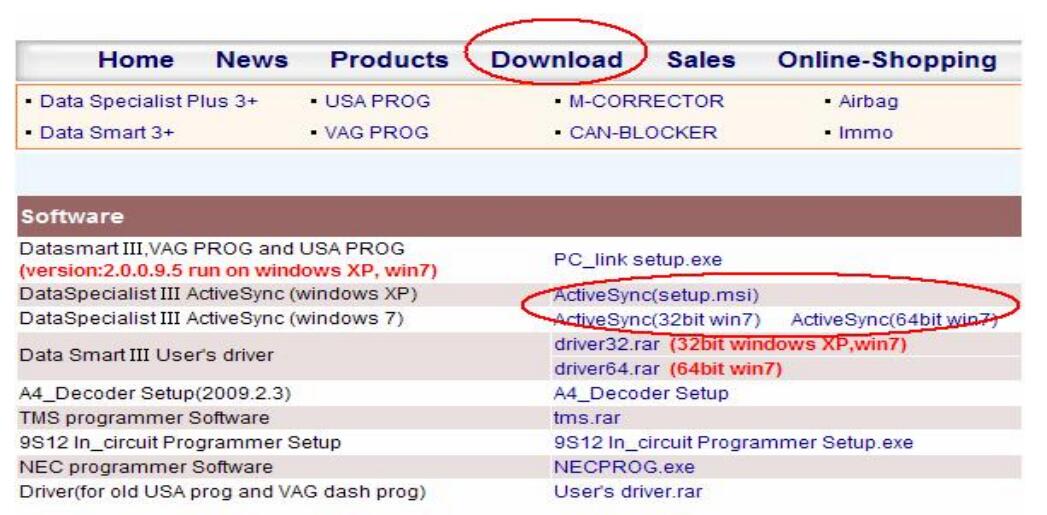
 Please install ActiveSync software on your PC well before DSP3+Odometer Correction Tool software update. Or please log in

http://smelecom.com/sm/download.htm and download ActiveSync software and install it on your
PC first of all.

The steps are similar among “Function Sync” and “Active Function” and “Software Update”, take
“Software update” as an example:
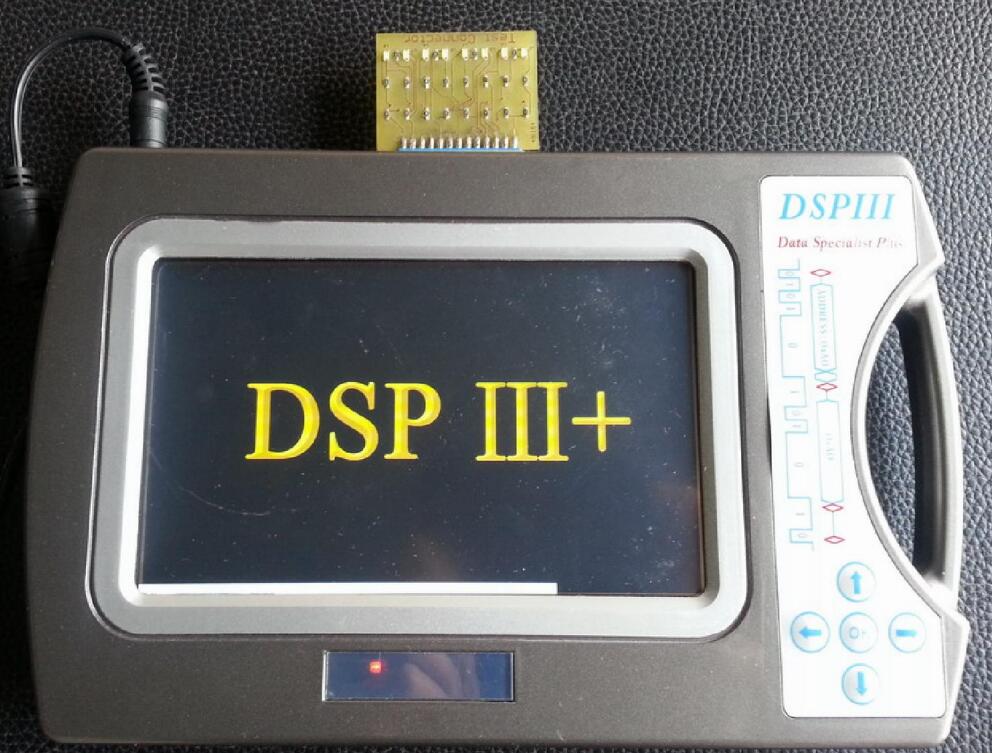
1、Connect test connector and power supply well, shown as figure 1:

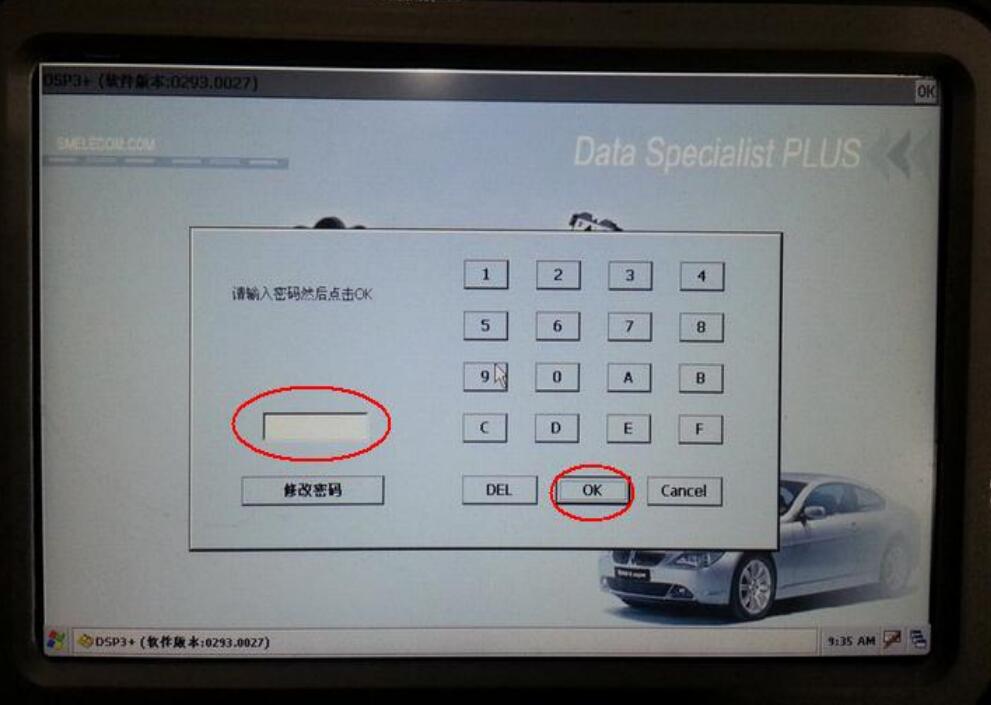
2、Click the red circle, and input the password, click button “ok”, shown as figure 2:

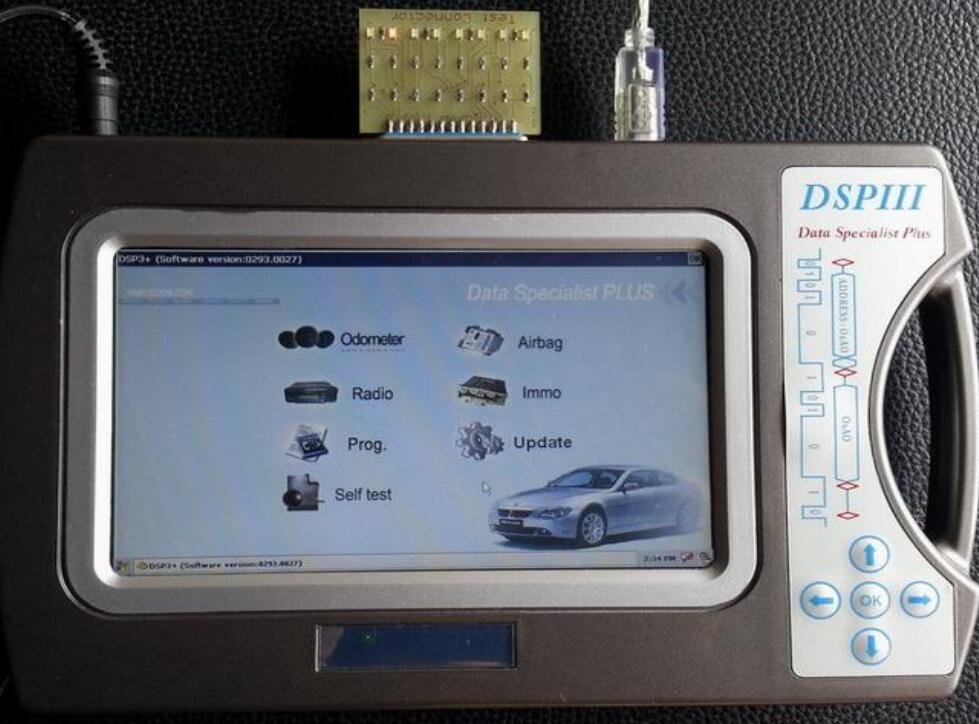
3、Connect USB cable to the dsp3+, shown as figure 3:

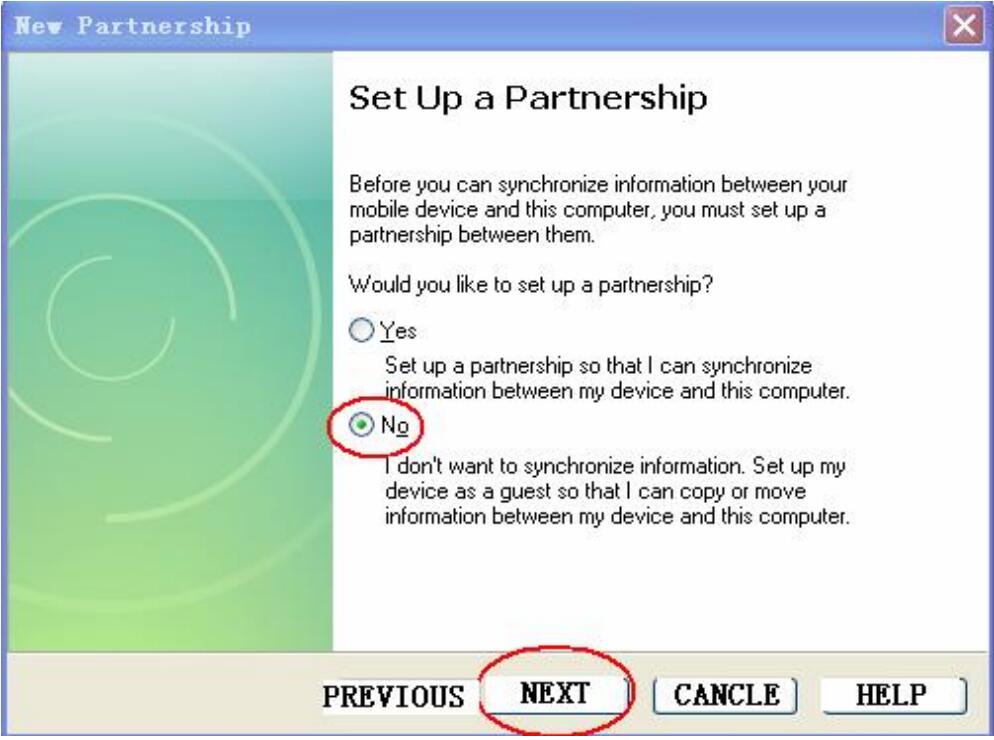
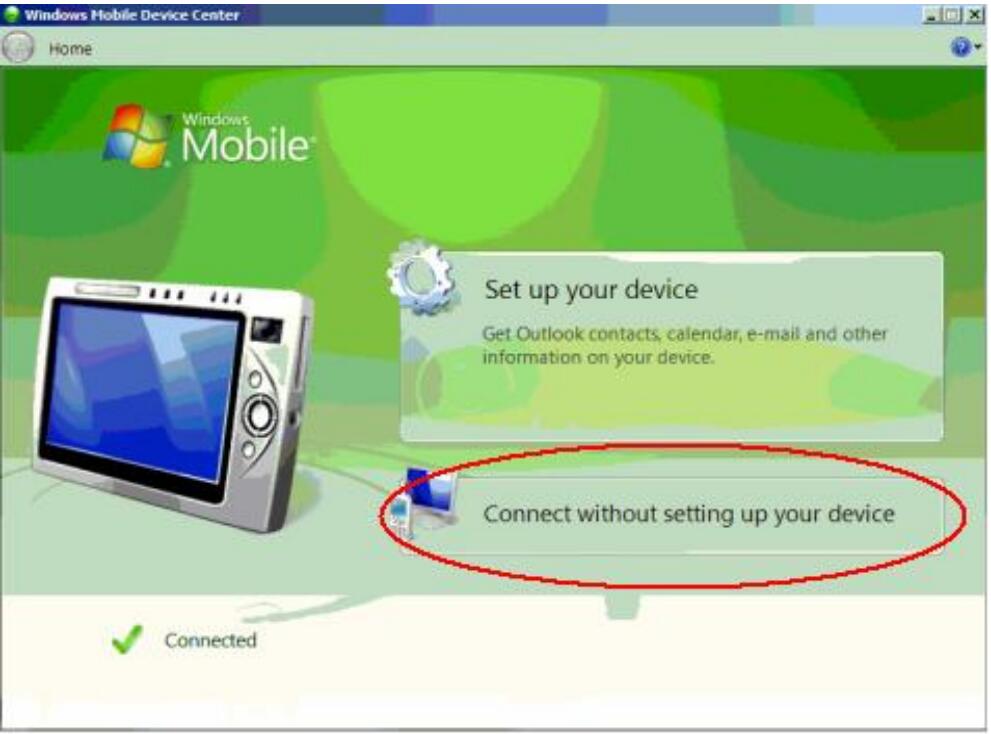
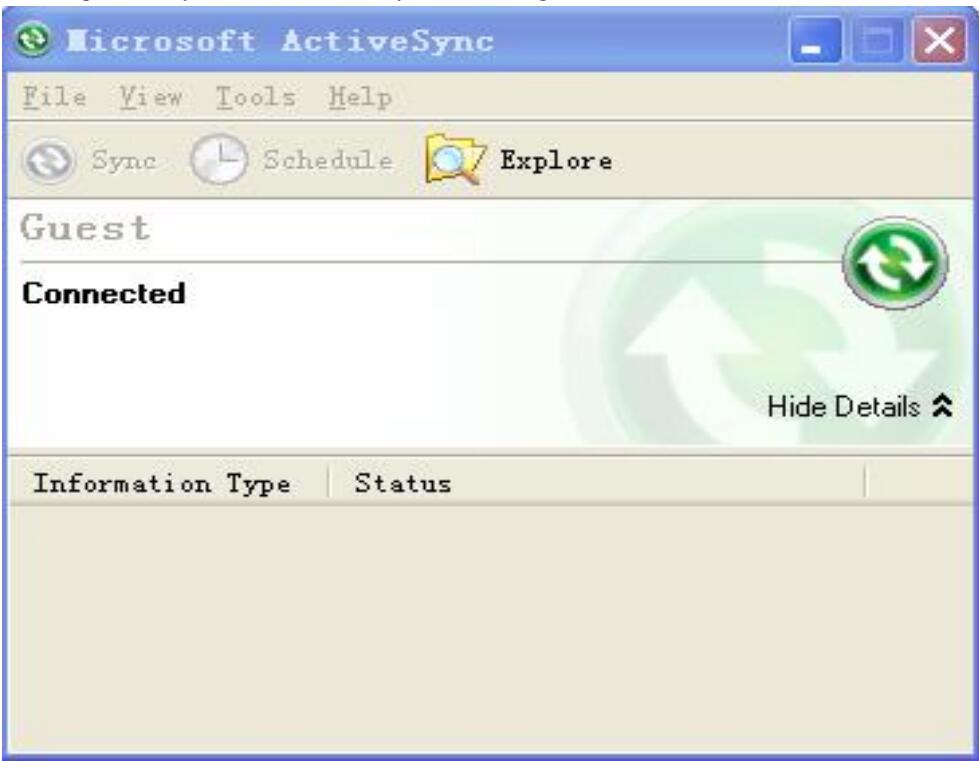
4、If your PC is windows XP operation system, set your ActiveSync software as figure 4.1:

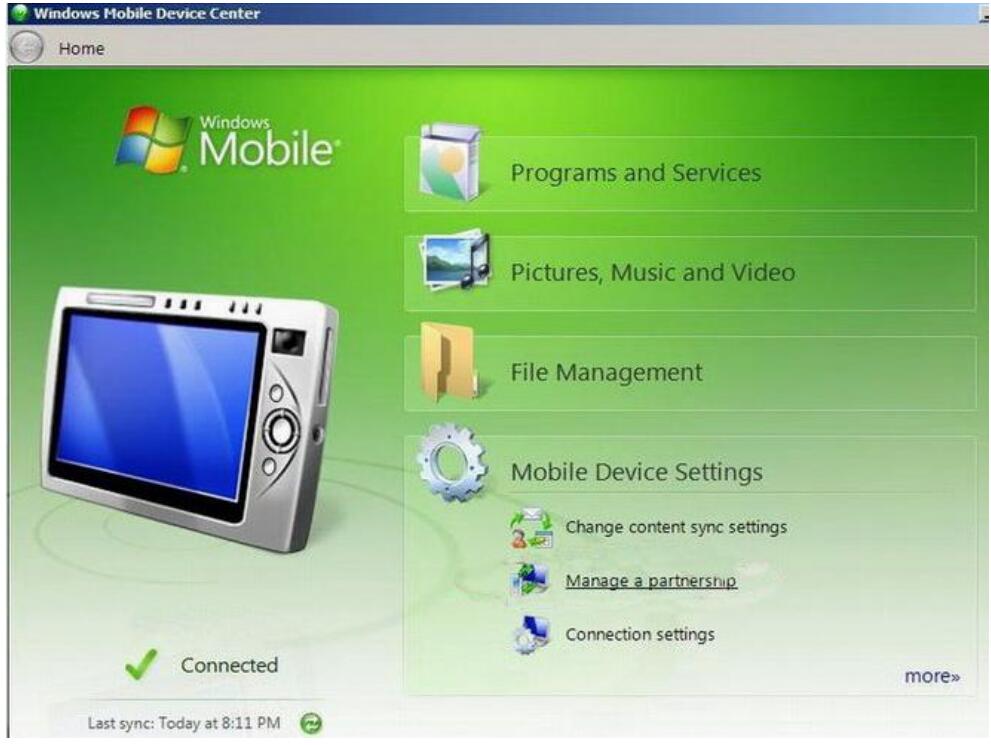
If your PC is windows7 operation system, set your pc as figure 4.2:

5、XP operation system set successfully, shown as figure 5.1:

Windows7 operation system set successfully, shown as figure 5.2:

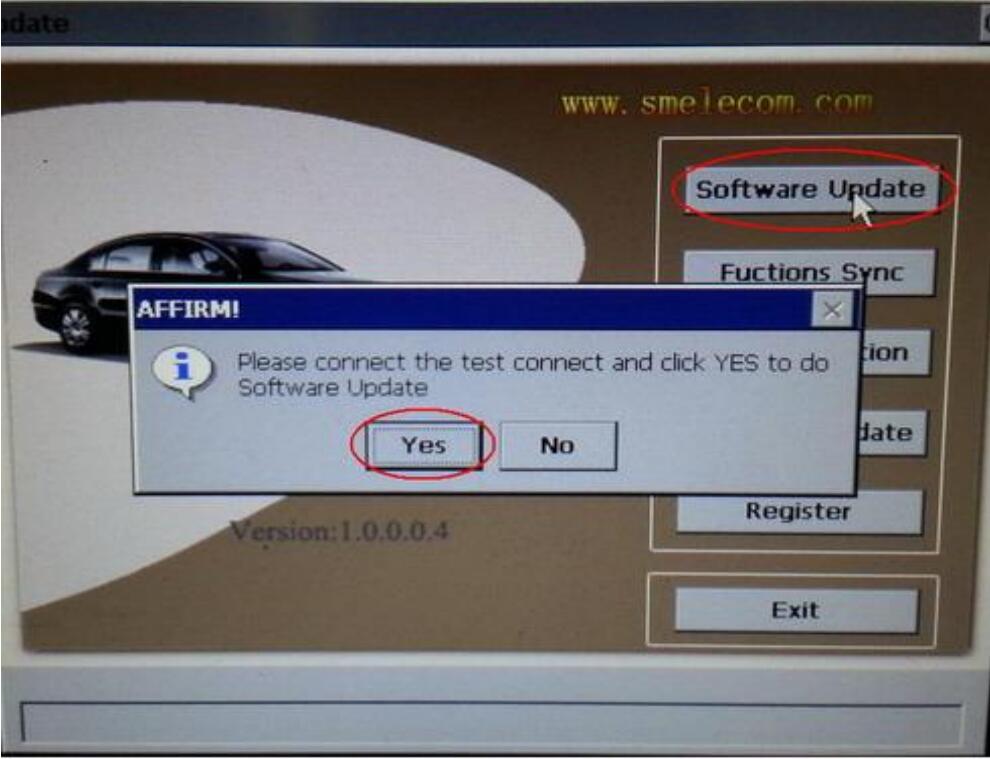
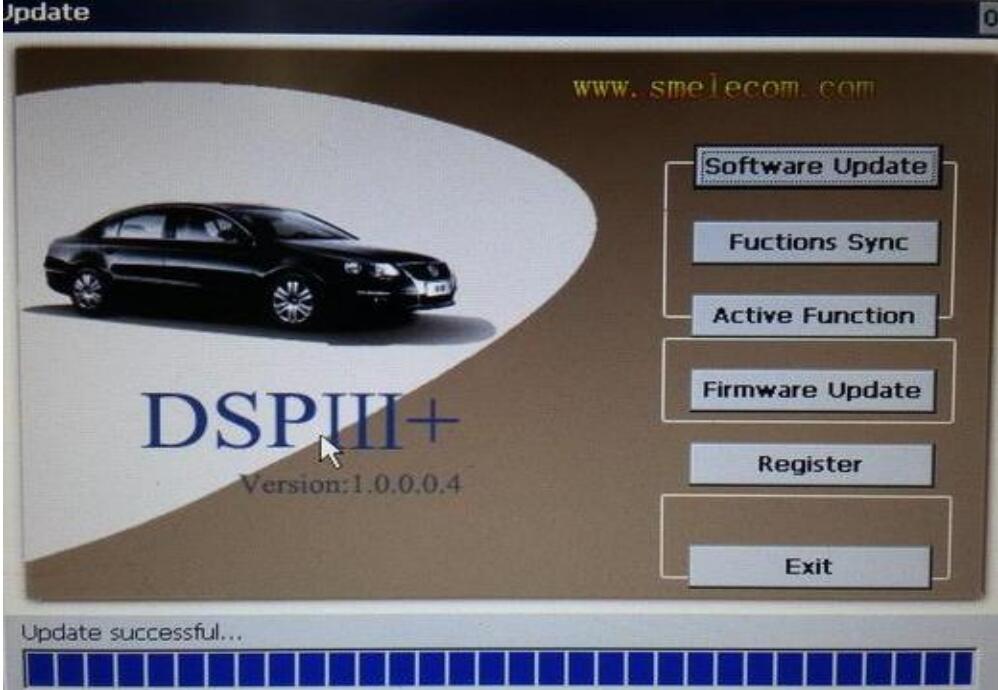
6、Click “Update” on the screen of DSP3+, and then click “SOFTWARE UPDATE’, shown as

Click “YES” to start software update.
Note: this process will take about 30 minutes, during this time, do not disconnect the power
supply , do not disconnect USB cable, do not change any settings on PC, wait patiently please.
7、About 30 minutes later, you will see “update successfully” on the screen of DSP3+, shown as

Software update successfully

Saturday, April 16, 2022

The instruction of DSP3+ software update

 Please install ActiveSync software on your PC well before DSP3+Odometer Correction Tool software update. Or please log in

http://smelecom.com/sm/download.htm and download ActiveSync software and install it on your
PC first of all.

The steps are similar among “Function Sync” and “Active Function” and “Software Update”, take
“Software update” as an example:
1、Connect test connector and power supply well, shown as figure 1:

2、Click the red circle, and input the password, click button “ok”, shown as figure 2:

3、Connect USB cable to the dsp3+, shown as figure 3:

4、If your PC is windows XP operation system, set your ActiveSync software as figure 4.1:

If your PC is windows7 operation system, set your pc as figure 4.2:

5、XP operation system set successfully, shown as figure 5.1:

Windows7 operation system set successfully, shown as figure 5.2:

6、Click “Update” on the screen of DSP3+, and then click “SOFTWARE UPDATE’, shown as

Click “YES” to start software update.
Note: this process will take about 30 minutes, during this time, do not disconnect the power
supply , do not disconnect USB cable, do not change any settings on PC, wait patiently please.
7、About 30 minutes later, you will see “update successfully” on the screen of DSP3+, shown as

Software update successfully

Monday, February 7, 2022

The instruction of DSP3+ software update

Please install ActiveSync software on your PC well before DSP3+Odometer Correction Tool software update. Or please log in

http://smelecom.com/sm/download.htm and download ActiveSync software and install it on your
PC first of all.

The steps are similar among “Function Sync” and “Active Function” and “Software Update”, take
“Software update” as an example:
1、Connect test connector and power supply well, shown as figure 1:

2、Click the red circle, and input the password, click button “ok”, shown as figure 2:

3、Connect USB cable to the dsp3+, shown as figure 3:

4、If your PC is windows XP operation system, set your ActiveSync software as figure 4.1:

If your PC is windows7 operation system, set your pc as figure 4.2:

5、XP operation system set successfully, shown as figure 5.1:

Windows7 operation system set successfully, shown as figure 5.2:

6、Click “Update” on the screen of DSP3+, and then click “SOFTWARE UPDATE’, shown as

Click “YES” to start software update.
Note: this process will take about 30 minutes, during this time, do not disconnect the power
supply , do not disconnect USB cable, do not change any settings on PC, wait patiently please.
7、About 30 minutes later, you will see “update successfully” on the screen of DSP3+, shown as

Software update successfully

Friday, December 3, 2021

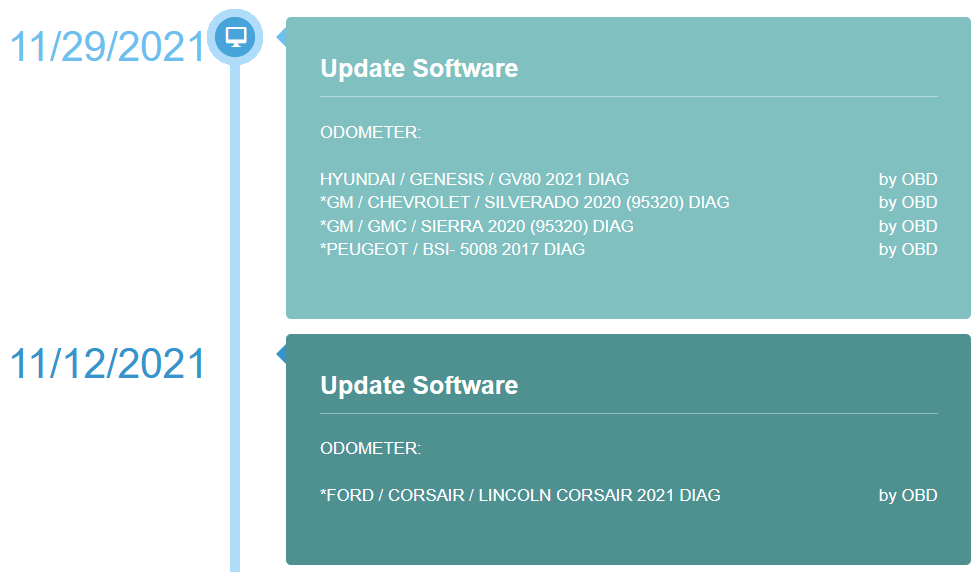
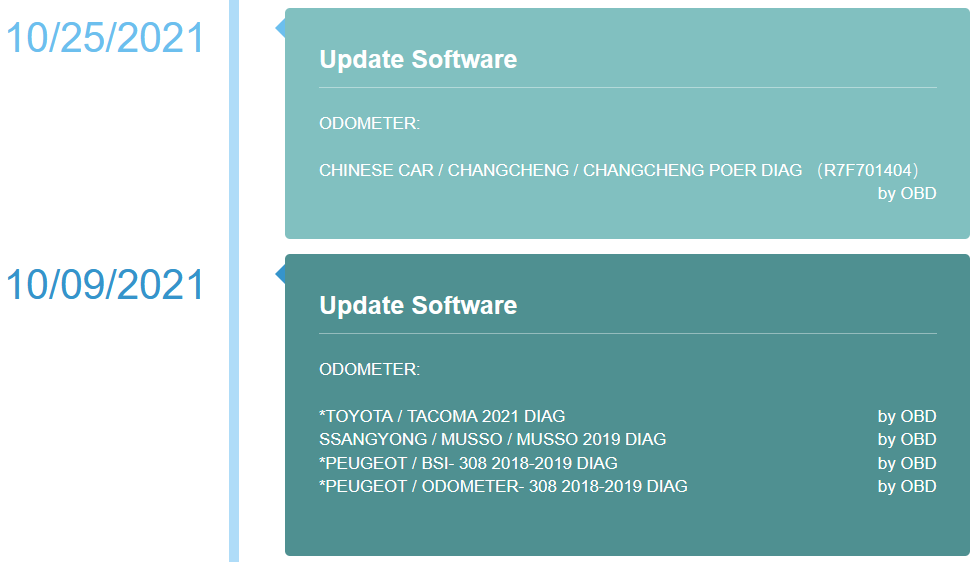
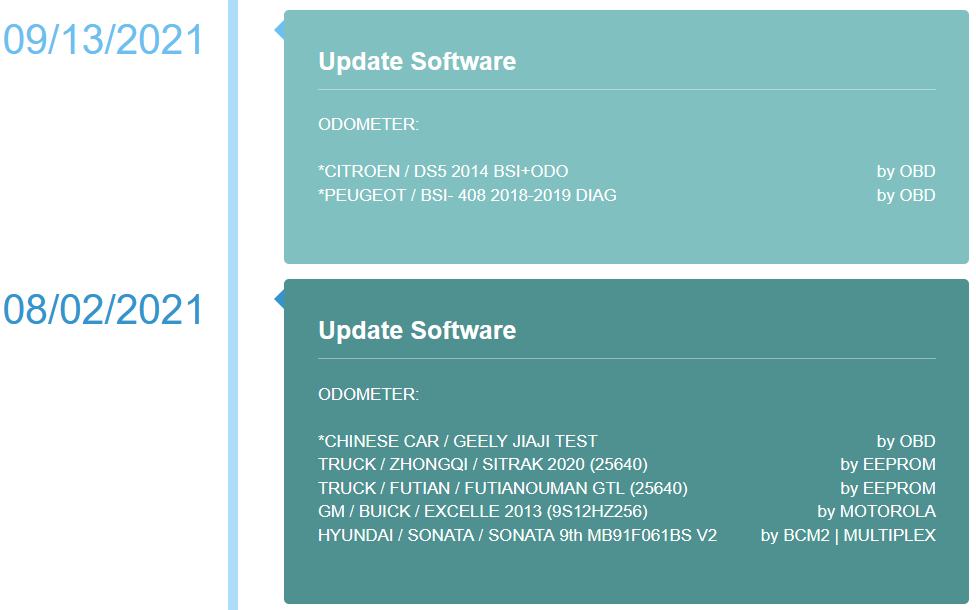
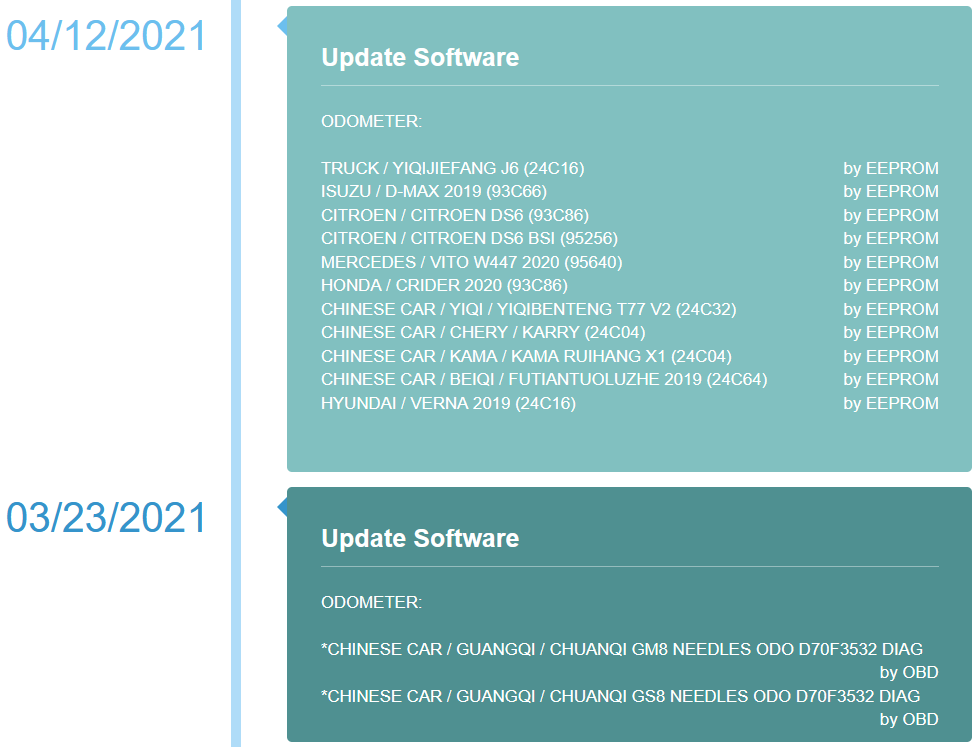
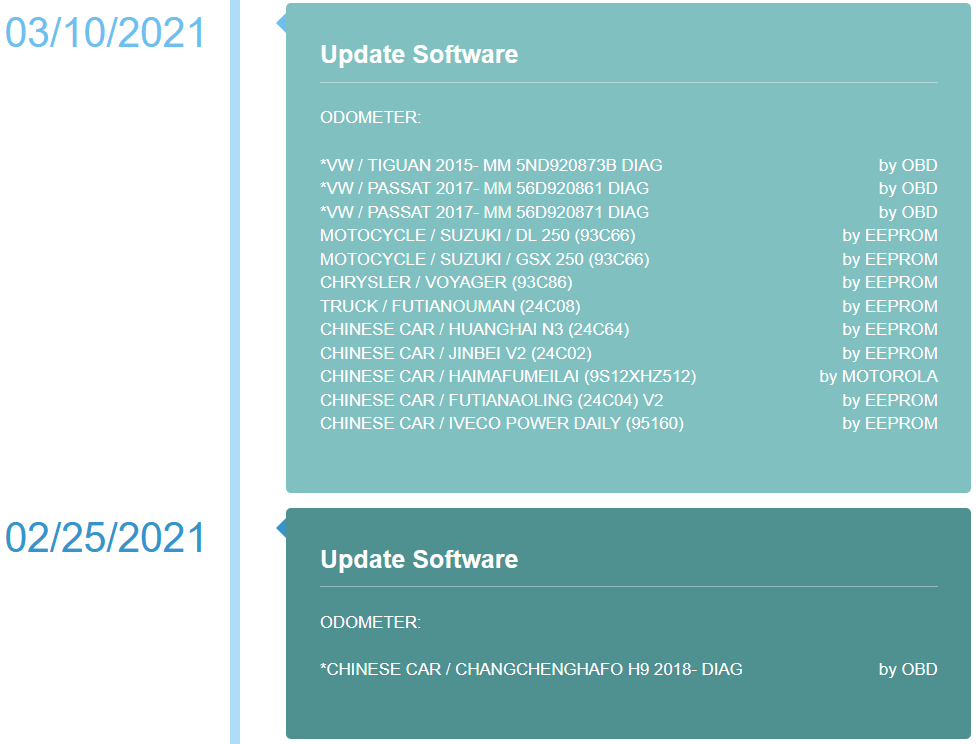
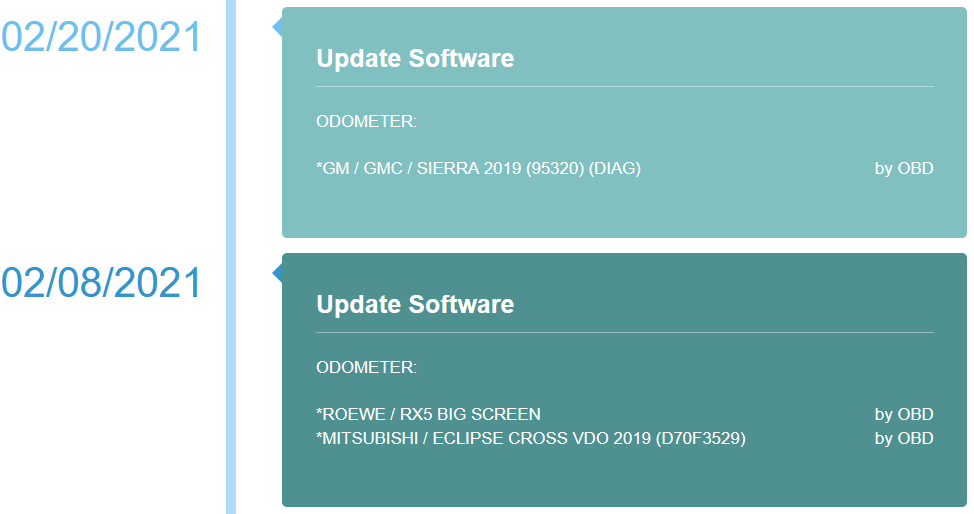
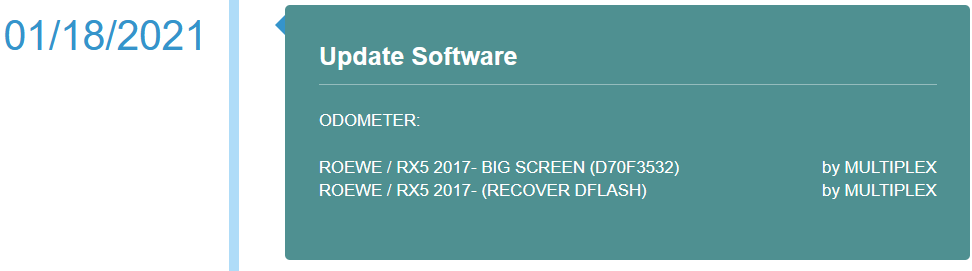
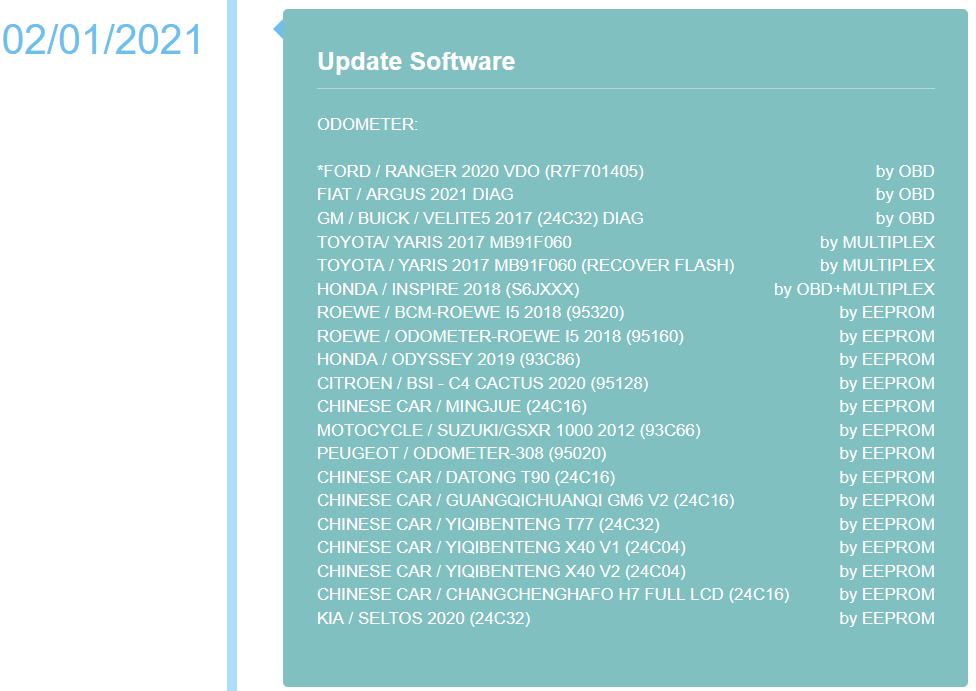
DSP3+ Odometer Correction Tool Update in 2021

Original DSPIII+ DSP3+ Odometer Correction Tool 2021 update news

DSP3+-Odometer-Correction-Tool-Update-in-2021-1
DSP3+-Odometer-Correction-Tool-Update-in-2021-2
DSP3+-Odometer-Correction-Tool-Update-in-2021-3
DSP3+-Odometer-Correction-Tool-Update-in-2021-4
DSP3+-Odometer-Correction-Tool-Update-in-2021-5
DSP3+-Odometer-Correction-Tool-Update-in-2021-6
DSP3+-Odometer-Correction-Tool-Update-in-2021-7
DSP3+-Odometer-Correction-Tool-Update-in-2021-8
DSP3+-Odometer-Correction-Tool-Update-in-2021-9
DSP3+-Odometer-Correction-Tool-Update-in-2021-10
DSP3+-Odometer-Correction-Tool-Update-in-2021-12
DSP3+-Odometer-Correction-Tool-Update-in-2021-11

Above is 2021 main update info for the DSPIII+ DSP3+ Odometer Correction Tool, To learn more about the updated contents, please see the link below:(Update content and supported vehicle list from 2019 till now)
https://www.smelecom.com/En/news-e.html

Below is the supported vehicle list before 2019.
http://forobd2tool.com/wp-content/download/DSP3+/DSP3+_Full_Odometer.pdf

If you have any other questions, please contact our online customer service. https://www.obd2tool.com/

Tuesday, November 30, 2021

Original DSP3+ Odometer Correction Tool Software Update

How to update “Data Specialist 3+” or “USA prog / DataSmart / VAG prog”?

All our tools have the interface to help communicate with unit via USB port. If you are the DSP3+ owner then connecting your tool to PC (Windows XP/7) will open Microsoft ActiveSync application and connects to your DSP3+ automatically as to any Windows based PDA devices. If you are the USAprog / DataSmart / VAGprog owner, you need to install the “PC_link” software found on any Downloads tab under the product page that designed to communicate with your tool. The very last step for all tools is to select the Update menu and run an appropriate command such as Software Update/Active Function or any other ones.

2021 Software Update details
11/12/2021 update
ODOMETER:
*FORD / CORSAIR / LINCOLN CORSAIR 2021 DIAGby OBD

11/08/2021
ODOMETER:
FORD / TAURUS 2017 DIAGby OBD

11/01/2021
ODOMETER:
CHINESE CAR / GUANGQI / CHUANQI GS3 18- DIAG (R7F701401)by OBD
CHINESE CAR / YIQI / YIQIBENTENG X40 V3 (24C04)by EEPROM
CHINESE CAR / BEIQI / BEIQI BJ40 (95320)by EEPROM
RENAULT / KWID / KWID 2020 ABS (95640)by EEPROM
RENAULT / KWID / KWID 2020 (95160)by EEPROM
HYUNDAI / I10 (9S12HA48/9S12HY64)by EEPROM
MOTOCYCLE / HONDA / CRF 1000 2018 (93C76)by EEPROM
MOTOCYCLE / HONDA / CRF 1000 2016 (93C66)by EEPROM
MOTOCYCLE / SUZUKI / GSXR 750 2015 (93C66)by EEPROM
TRUCK / OTHER / FIDELITY (24C04)by EEPROM
SUZUKI / ERTIGA (95320)by EEPROM

10/25/2021
ODOMETER:
CHINESE CAR / CHANGCHENG / CHANGCHENG POER DIAG (R7F701404)by OBD

10/09/2021
ODOMETER:
*TOYOTA / TACOMA 2021 DIAGby OBD
SSANGYONG / MUSSO / MUSSO 2019 DIAGby OBD
*PEUGEOT / BSI- 308 2018-2019 DIAGby OBD
*PEUGEOT / ODOMETER- 308 2018-2019 DIAGby OBD

09/13/2021
ODOMETER:
*CITROEN / DS5 2014 BSI+ODOby OBD
*PEUGEOT / BSI- 408 2018-2019 DIAGby OBD

08/02/2021
ODOMETER:
*CHINESE CAR / GEELY JIAJI TESTby OBD
TRUCK / ZHONGQI / SITRAK 2020 (25640)by EEPROM
TRUCK / FUTIAN / FUTIANOUMAN GTL (25640)by EEPROM
GM / BUICK / EXCELLE 2013 (9S12HZ256)by MOTOROLA
HYUNDAI / SONATA / SONATA 9th MB91F061BS V2by BCM2 | MULTIPLEX

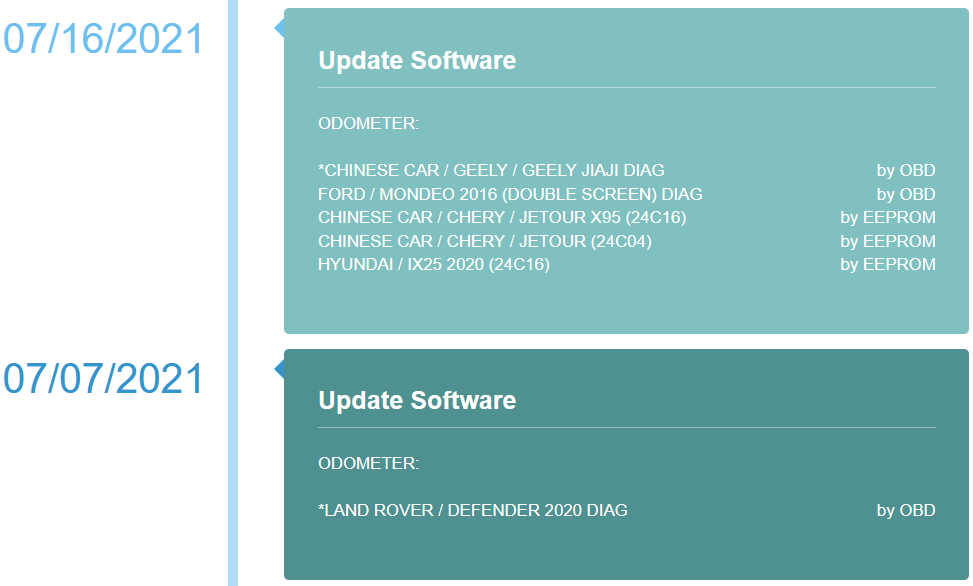
07/16/2021
ODOMETER:
*CHINESE CAR / GEELY / GEELY JIAJI DIAGby OBD
FORD / MONDEO 2016 (DOUBLE SCREEN) DIAGby OBD
CHINESE CAR / CHERY / JETOUR X95 (24C16)by EEPROM
CHINESE CAR / CHERY / JETOUR (24C04)by EEPROM
HYUNDAI / IX25 2020 (24C16)by EEPROM

07/07/2021
ODOMETER:
*LAND ROVER / DEFENDER 2020 DIAGby OBD

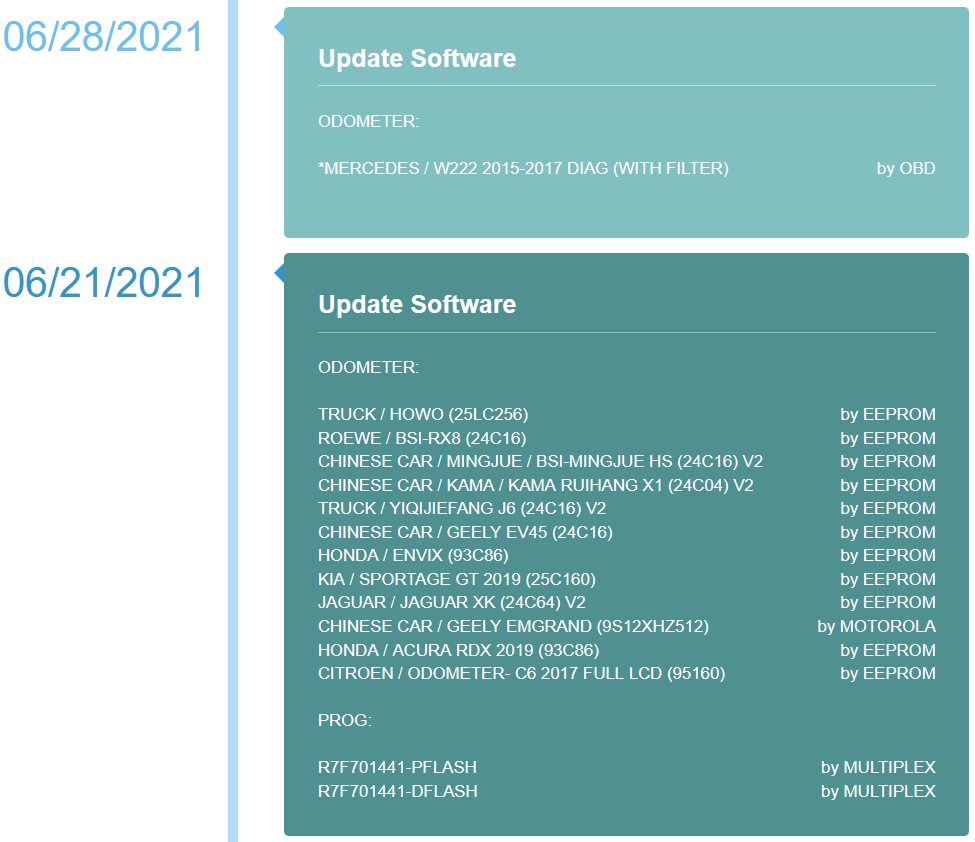
06/28/2021
ODOMETER:
*MERCEDES / W222 2015-2017 DIAG (WITH FILTER)by OBD

06/21/2021
ODOMETER:
TRUCK / HOWO (25LC256)by EEPROM
ROEWE / BSI-RX8 (24C16)by EEPROM
CHINESE CAR / MINGJUE / BSI-MINGJUE HS (24C16) V2by EEPROM
CHINESE CAR / KAMA / KAMA RUIHANG X1 (24C04) V2by EEPROM
TRUCK / YIQIJIEFANG J6 (24C16) V2by EEPROM
CHINESE CAR / GEELY EV45 (24C16)by EEPROM
HONDA / ENVIX (93C86)by EEPROM
KIA / SPORTAGE GT 2019 (25C160)by EEPROM
JAGUAR / JAGUAR XK (24C64) V2by EEPROM
CHINESE CAR / GEELY EMGRAND (9S12XHZ512)by MOTOROLA
HONDA / ACURA RDX 2019 (93C86)by EEPROM
CITROEN / ODOMETER- C6 2017 FULL LCD (95160)by EEPROM

PROG:
R7F701441-PFLASHby MULTIPLEX
R7F701441-DFLASHby MULTIPLEX

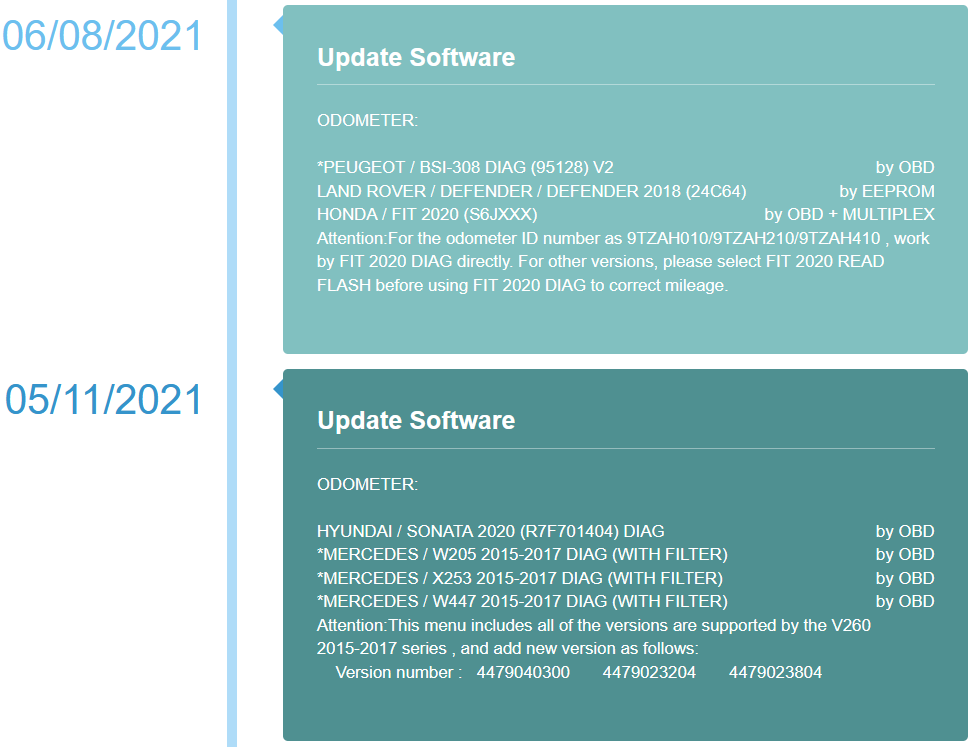
06/08/2021
ODOMETER:
*PEUGEOT / BSI-308 DIAG (95128) V2by OBD
LAND ROVER / DEFENDER / DEFENDER 2018 (24C64)by EEPROM
HONDA / FIT 2020 (S6JXXX)by OBD + MULTIPLEX
Attention:For the odometer ID number as 9TZAH010/9TZAH210/9TZAH410 , work by FIT 2020 DIAG directly. For other versions, please select FIT 2020 READ FLASH before using FIT 2020 DIAG to correct mileage.

www.obd2tool.com for more information about OBD2 Odometer Correction Tool
Monday, November 15, 2021

Original DSP3+ Odometer Correction Tools Comparison

 Original-DSP3+-Odometer-Correction-Tools-Comparison

Why mileage needs to be adjusted or changed ?

There is a few reasons why you need to set a new odometer reading: Wrong tires size have been used; The odometer stopped registering the mileage after battery was discharged and the vehicle had been jump started or general electronic failure; New engine had been fitted; Custom instrument cluster to be assigned/installed on the vehicle.

We’d like to say that original DSP3+ is the best odometer correction tools on the market recently , and we have some different types for the machine with comparison as bellowing :

PRODUCTS COMPARISON
USA PROG Standard USA PROG Full DSP3+ Full VAG PROG Full
Touch screen display
HEX Editor
Speed / Display 600 Mhz / 800 x 480 600 Mhz / 800 x 480 600 Mhz / 800 x 480 600 Mhz / 800 x 480
Adapters OBD2, CMM OBD2, CMM, EEE, Motorola, Muliplex OBD2, CMM, EEE, Motorola, Muliplex, 35080-D80-160, HCS12, EWS, Denso OBD2, EEE, Multiplex
Password protected Yes Yes Yes Yes
Stand alone programmer
Update Online Online Online Online
Coverage USA cars – OBD2 SA/Asian cars – OBD2/On bench German/USA/Asian cars – OBD2/On bench VAG Group – OBD2/On bench


Any interesting , please check our website : www.obd2tool.com , with discount price recently

Saturday, October 27, 2018

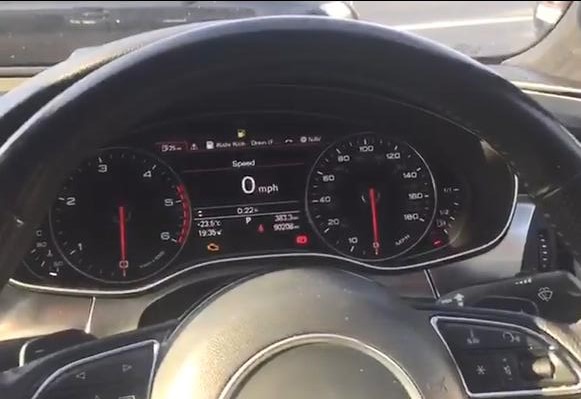
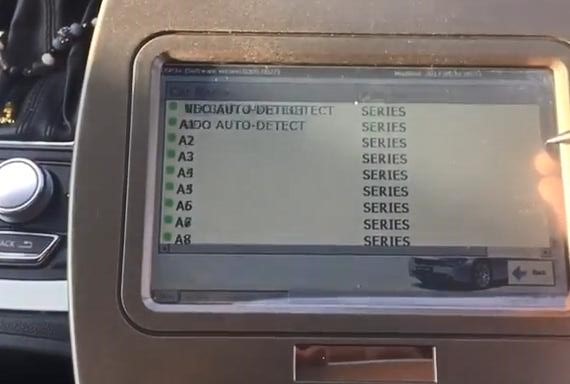
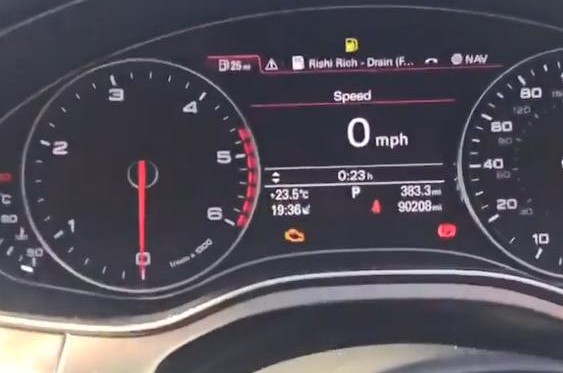
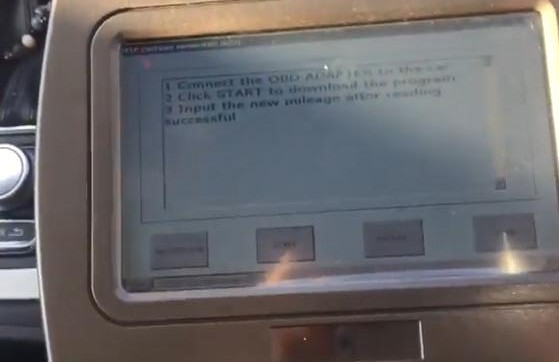
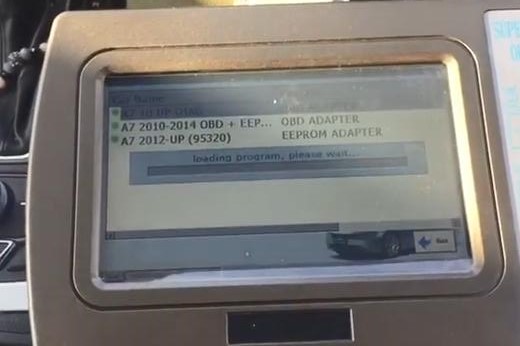
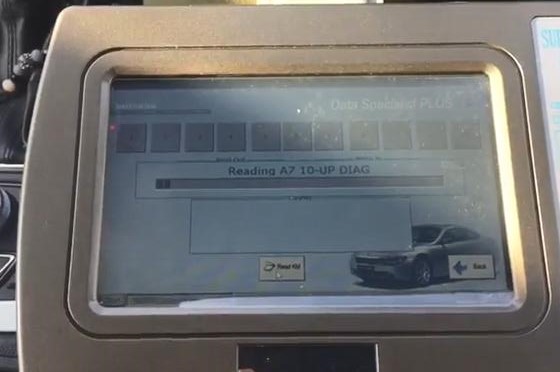
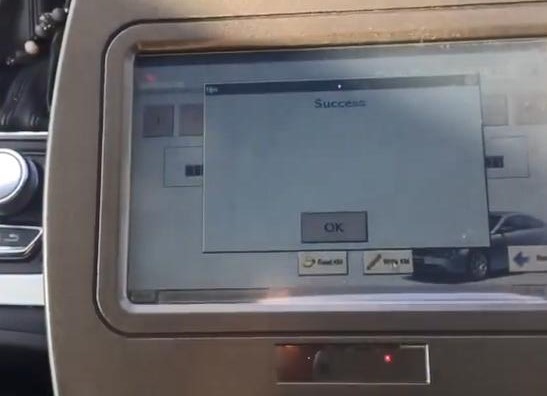
Audi Mileage Correction A6A7 DSP3 Magic

2018 DSP III KM Tool DSP3 DSPIII Odometer Correction Device for 2010-2017 Years New Models By OBD2 Car Diagnostic Tool.
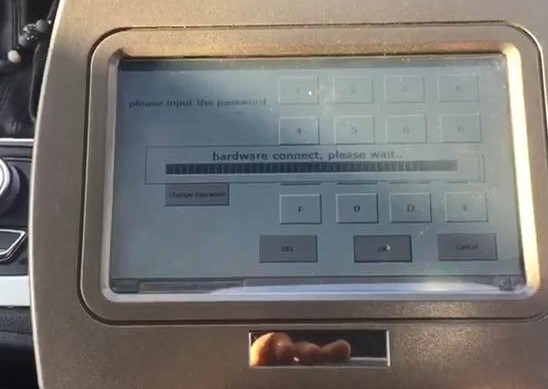
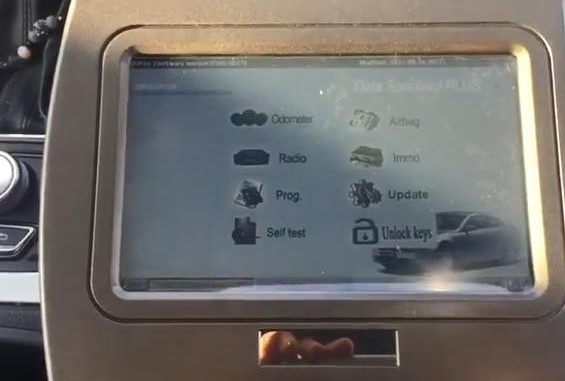
DSP Ⅲ can program digital odometers, airbag modules, car radios, car immobilizers. It is a high-quality embedded system, which offers a maximum of flexibility and working comfort
Mileage Correction on Audi A7 2011+ all OBD Even a £5k SMOK tool wants you to prepare dunp first This is one of the only tool that does Audis 11-17 all OBD, MAGIC
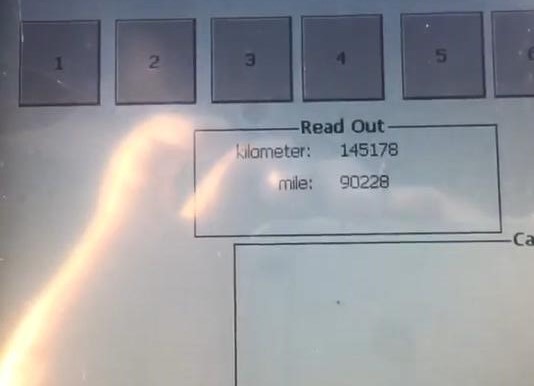
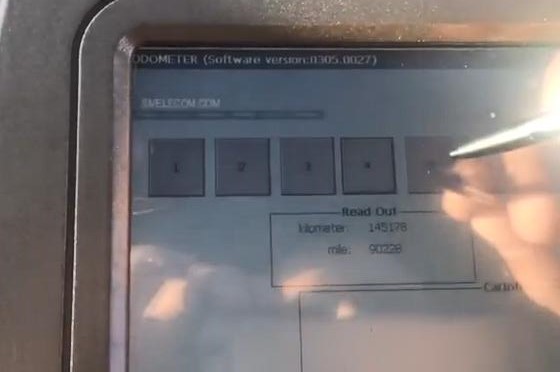
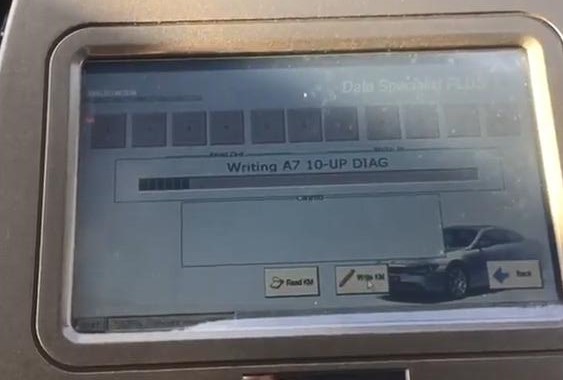
dsp-3-audi-2
dsp-3-audi-3dsp-3-audi-4dsp-3-audi-5dsp-3-audi-6dsp-3-audi-7dsp-3-audi-8dsp-3-audi-9dsp-3-audi-10dsp-3-audi-11dsp-3-audi-12dsp-3-audi-13dsp-3-audi-14dsp-3-audi-15dsp-3-audi-16dsp-3-audi-17dsp-3-audi-18dsp-3-audi-19