Saturday, January 22, 2022

Solved! Yanhua Digimaster 3 “Not Find Device” Error

An error occurred while a customer was using the Yanhua Digimaster 3. Our technician provided the appropriate solution. If you have the same problem too, hope it helps.

Customer problem:

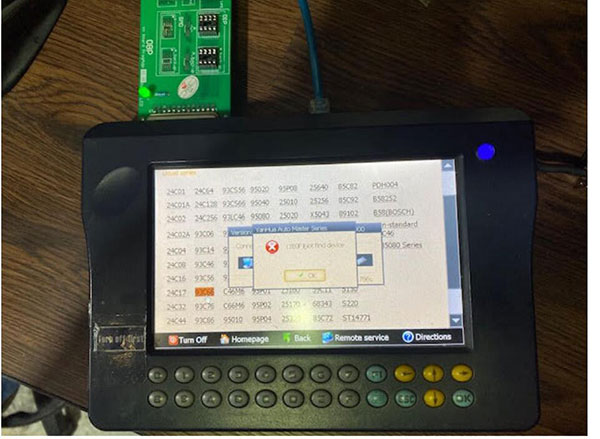
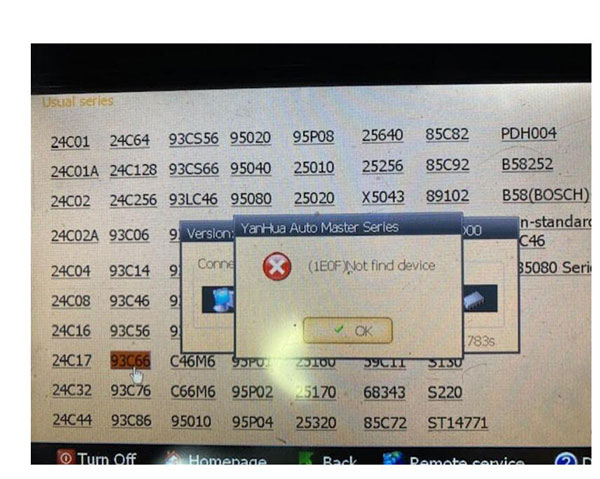
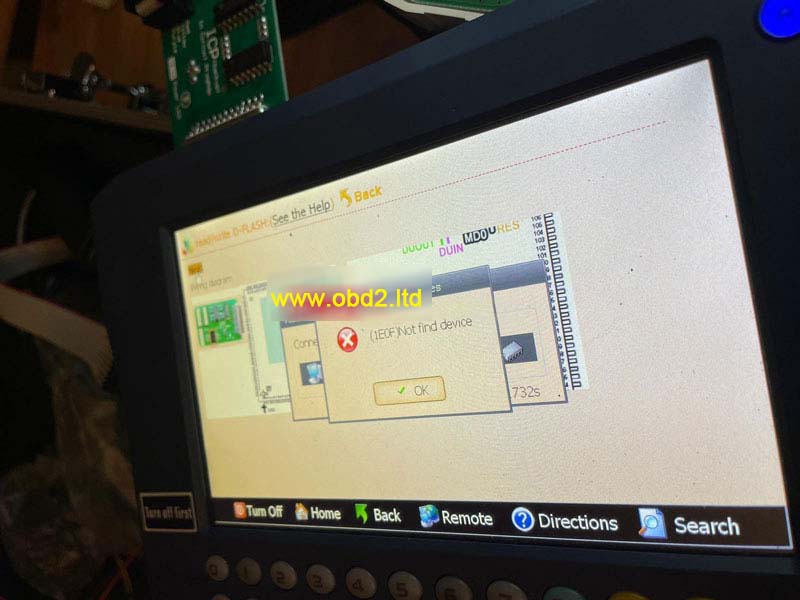
When I tried to correct my car’s odometer with the Digimaster 3, the message Device not found was displayed on the screen. I couldn’t correct the kilometers.

Solved-Yanhua-Digimaster-3-“Not-Find-Device”-Error-1
Solved-Yanhua-Digimaster-3-“Not-Find-Device”-Error-2

Obd2tool.com engineer solution:

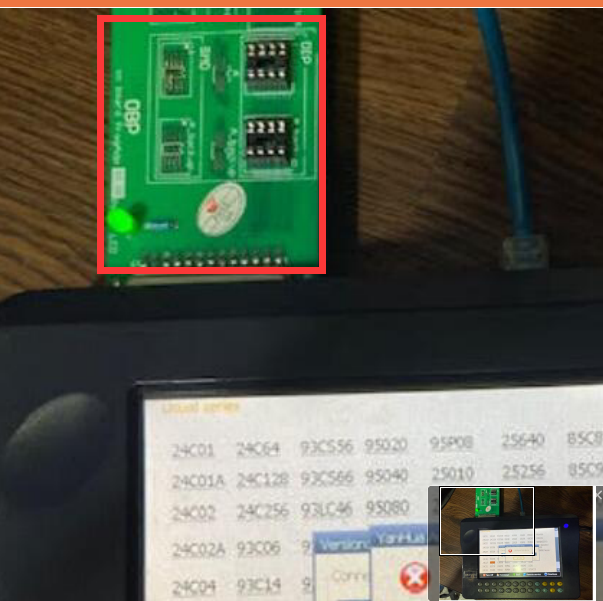
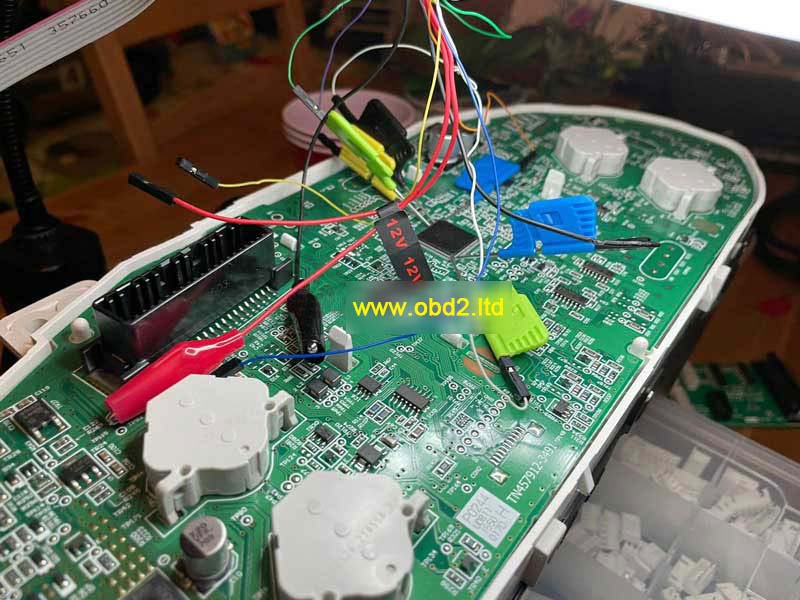
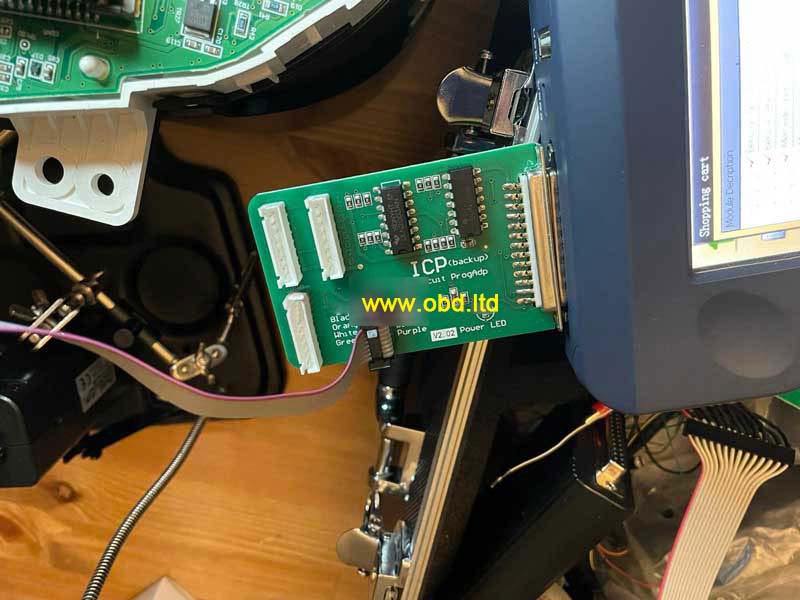
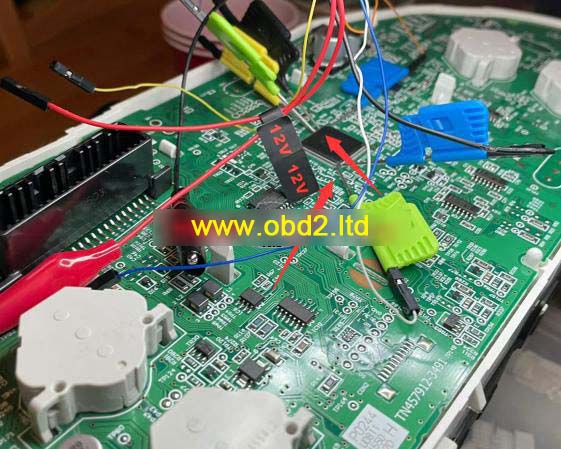
You did not weld the odometer’s chip to the OBP adapter, the board you connected to Digimaster 3 was blank, so the device cannot be found and no information can be read. Please remove the chip from the odometer and sell it to the board, then try again.

Solved-Yanhua-Digimaster-3-“Not-Find-Device”-Error-3


Thursday, January 20, 2022

How to Solve Yanhua Digimaster3 Occurs “(1E0F) Not find device” Error

Question

I tried to connect Yanhua Digimaster 3, but the ICP adapter is not responding. The LED light won’t light up and it gives me an error: “(1E0F) Not find device”.

This is my connection, what’s the problem, please help.

How-to-Solve-Yanhua-Digimaster3-Occurs-“(1E0F)-Not-find-device”-Error-1
How-to-Solve-Yanhua-Digimaster3-Occurs-“(1E0F)-Not-find-device”-Error-2
How-to-Solve-Yanhua-Digimaster3-Occurs-“(1E0F)-Not-find-device”-Error-3

Engineer Replies
The reason why Digimaster3 failed to connect is because of the touching pin on board. This kind of pin is in bad contact. It is suggested to use wiring for connection.

In case you have same problem, simply check the connection carefully. Make sure your wiring is connected to correct position.

How-to-Solve-Yanhua-Digimaster3-Occurs-“(1E0F)-Not-find-device”-Error-4

Digimaster III poor contact issue was solved.

Wednesday, January 12, 2022

How to operate Digimaster 3

How to operate Digimaster 3

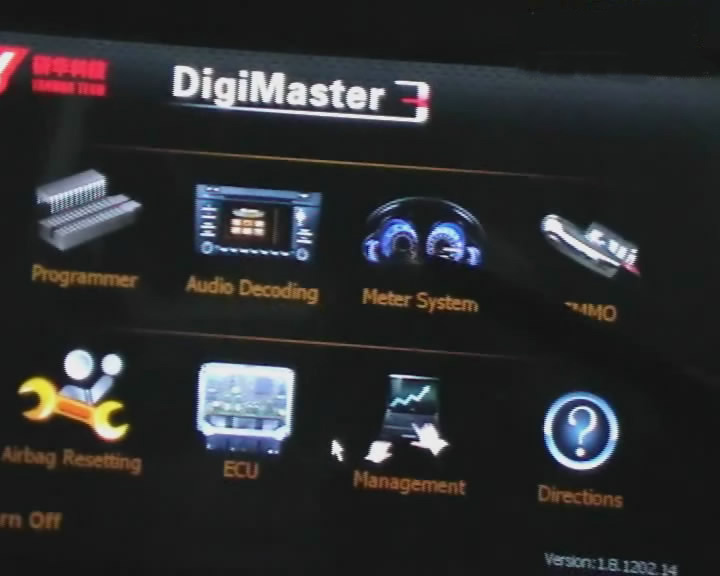
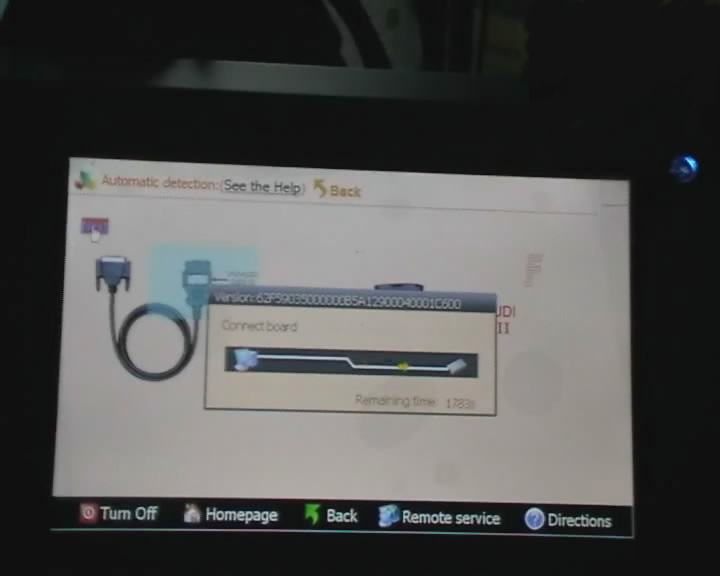
Step 1. digimaster 3 function menu

How-to-operate-Digimaster-3-1

Step 2. digimaster 3 function

How-to-operate-Digimaster-3-2

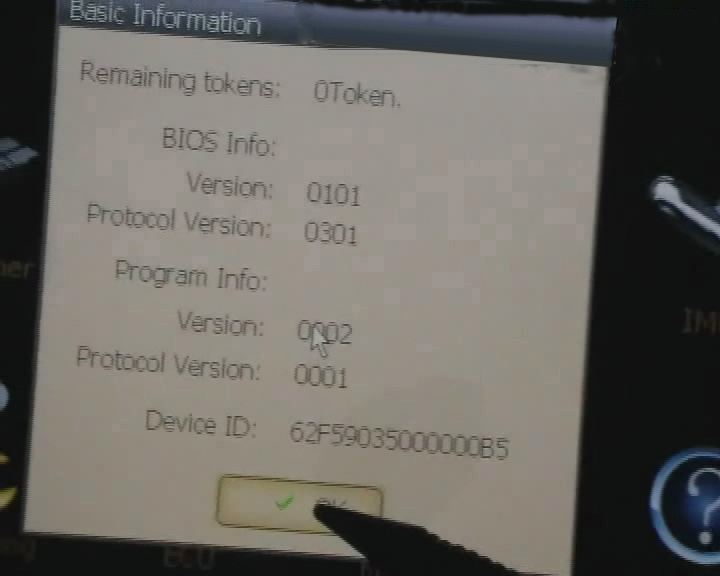
Step 3. digimaster 3 basic info

How-to-operate-Digimaster-3-3

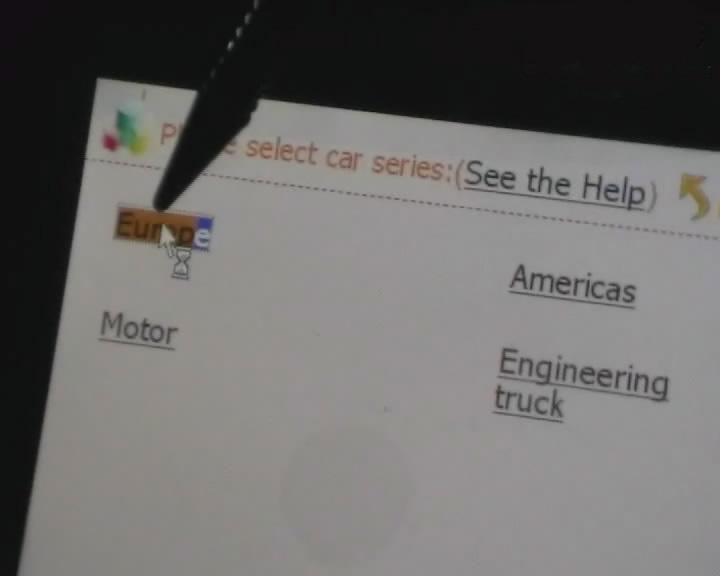
Step 4. digimaster 3 select car series

How-to-operate-Digimaster-3-4

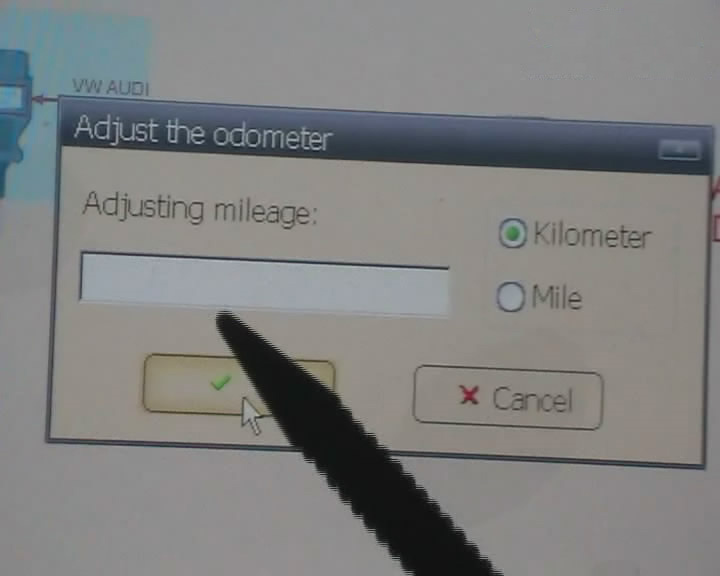
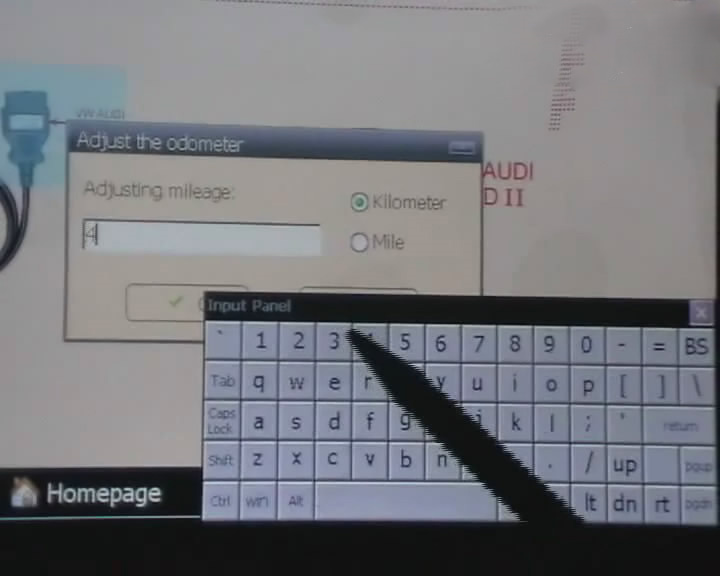
Step 5. digimaster 3 adjust odometer

How-to-operate-Digimaster-3-5

Step 6. digimaster 3 adjust odometer

How-to-operate-Digimaster-3-6

Step 7. digimaster 3 adjust gls

How-to-operate-Digimaster-3-7

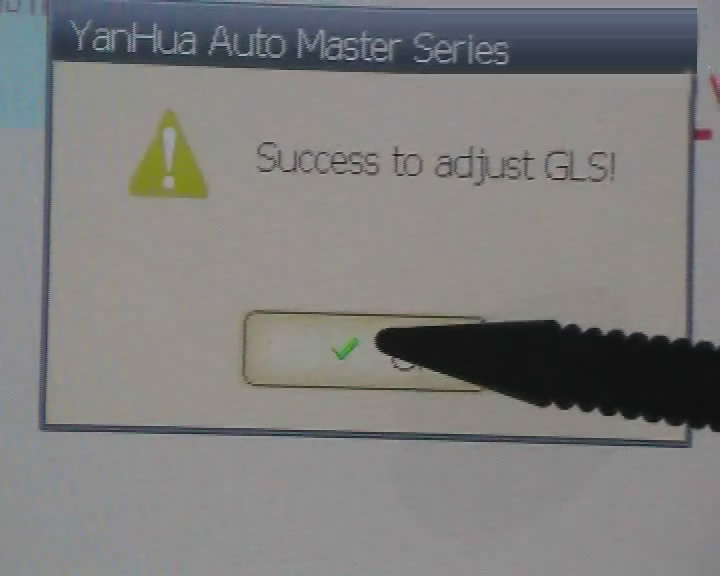
Step 8. digimaster 3 success adjust gls

How-to-operate-Digimaster-3-8

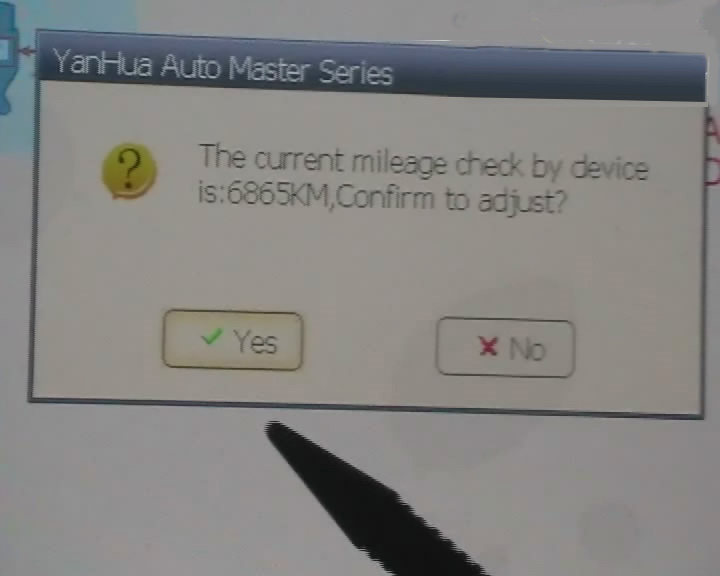
Step 9.  digimaster 3 adjust mileage

How-to-operate-Digimaster-3-9

Digimaster 3 Update Kernel
After update EBOOT, it is necessary to update kernel.
Tips: Before update EBOOT, please install D3 TOOL first.
Step 1: Press button number 8 and button OK at the same time, and turn the power on. When you see “Press OK to confirm and continue update Firmware” press OK, then it enter the procedure of updating.
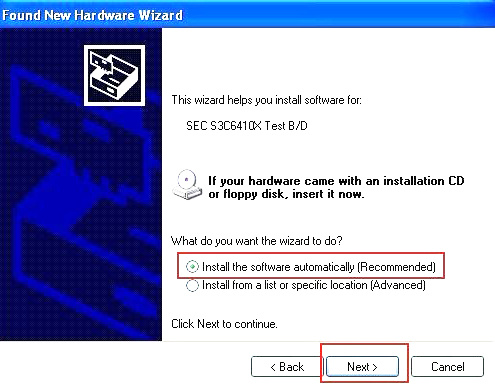
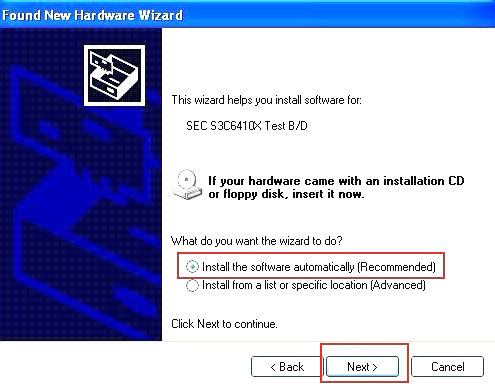
Step 2: Connect D3 with a computer through Mini USB (purple color), you can see a tip “Found New Hardware wizard”.As the image shown below.

How-to-operate-Digimaster-3-10

Step 3: choose “install the software automatically”, click “click”
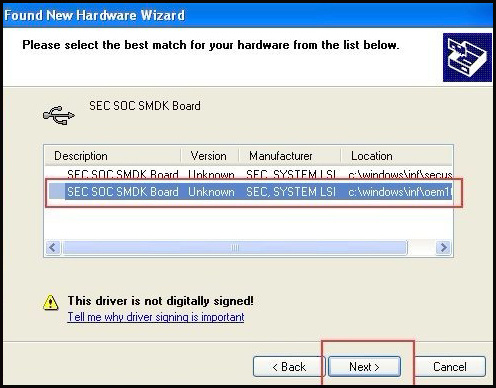
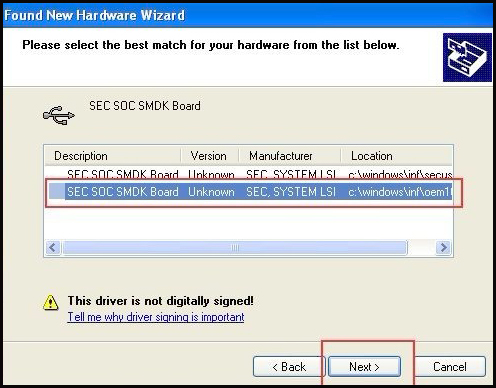
Step 4:  If DIGIMASTER 3 have been installed already, choose the second “SEC SOC SMDK Board” in dialog box as shown below, and click “Next” to complete driver installation.

How-to-operate-Digimaster-3-11

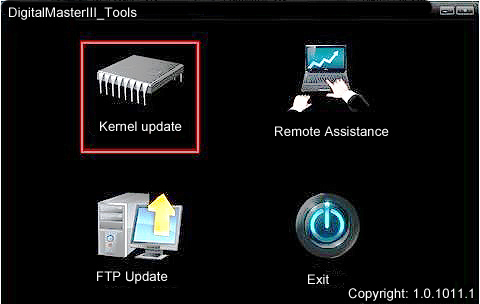
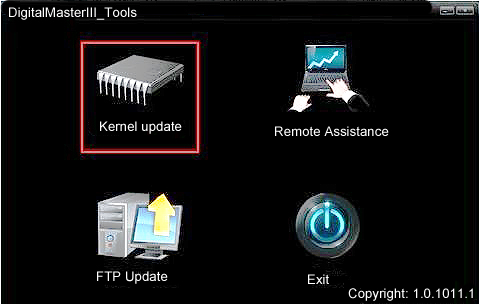
Step 5:Double-click Digimaster 3 PC Tools and choose “Kernel Update”.

How-to-operate-Digimaster-3-12
How-to-operate-Digimaster-3-13

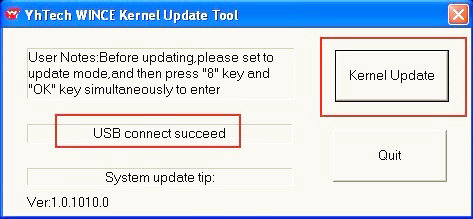
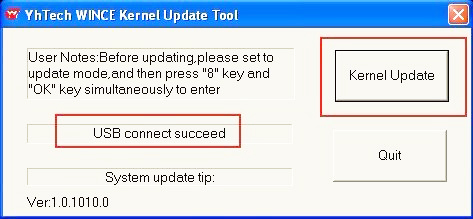
Step 6: Make sure the purple Mini USB is connected, then you can see ” USB connect succeed”

How-to-operate-Digimaster-3-14

Step 7: click “Kernel Update” and choose “EBOOT_20110427.bin” then click “OK” to start EBOOT program update.

Step 8: After 10sec. the DIGIMASTER 3 screen appears a twinkling red ‘YH’ logo which means EBOOT update is complete.
After update EBOOT successfully, please turn the power off and choose a appropriate way to update the kernel.
TIPS: Please uninstall the anti-virus software and firewall temporarily in order to run the software normally.

How-to-operate-Digimaster-3-15

After Update EBOOT, Still Not Work?
Second way, please operate by following the next tips:
1.Remove SD card from D3 to cardreader,and connect to PC. After successful connection, click “Removable Disk(E:)” as showed in the picture.
2. Delete the old file “YHTech” which is inSD card.
3. Copy the “YHTech” files from CD, and save it in SD card.
4. Please insert SDcard into D3 after successfully copy and paste. Then connect to network andturn on D3, click “OK” for downloading when appear remark of “Pleaseconnect network download hypervisors!” in the interface. It can befunctioned after successful download.”

Note:

1) When you use digimaster3 ck1200, if the following error appears, this is IP restriction,
Please tell us, we will help you remove restriction according to IP.

How-to-operate-Digimaster-3-17

2) The following digimaster3 BMW adapter has not been concluded:

How-to-operate-Digimaster-3-18

Now it is replaced by this one:

3) Digimaster 3 English version doesn’t have TMS370 Programmer adpater, only Chinese version has.

How-to-operate-Digimaster-3-19

Wednesday, January 5, 2022

Digimaster3 Change Hyundai Santa FE 2018 Mileage

Tested reportYanhua Digimaster3 can correct odometer for Hyundai Santa FE 2018.
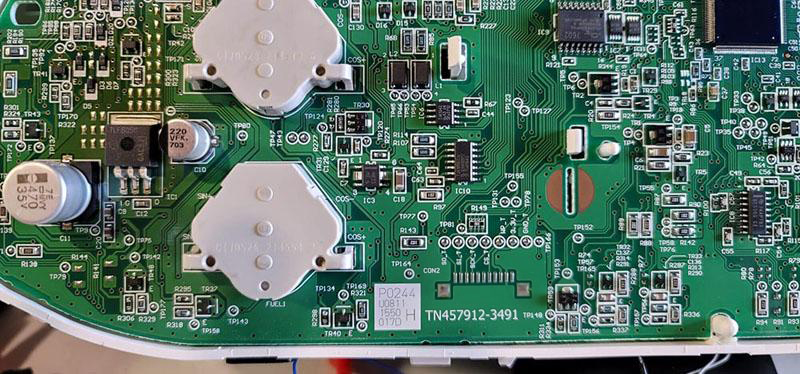
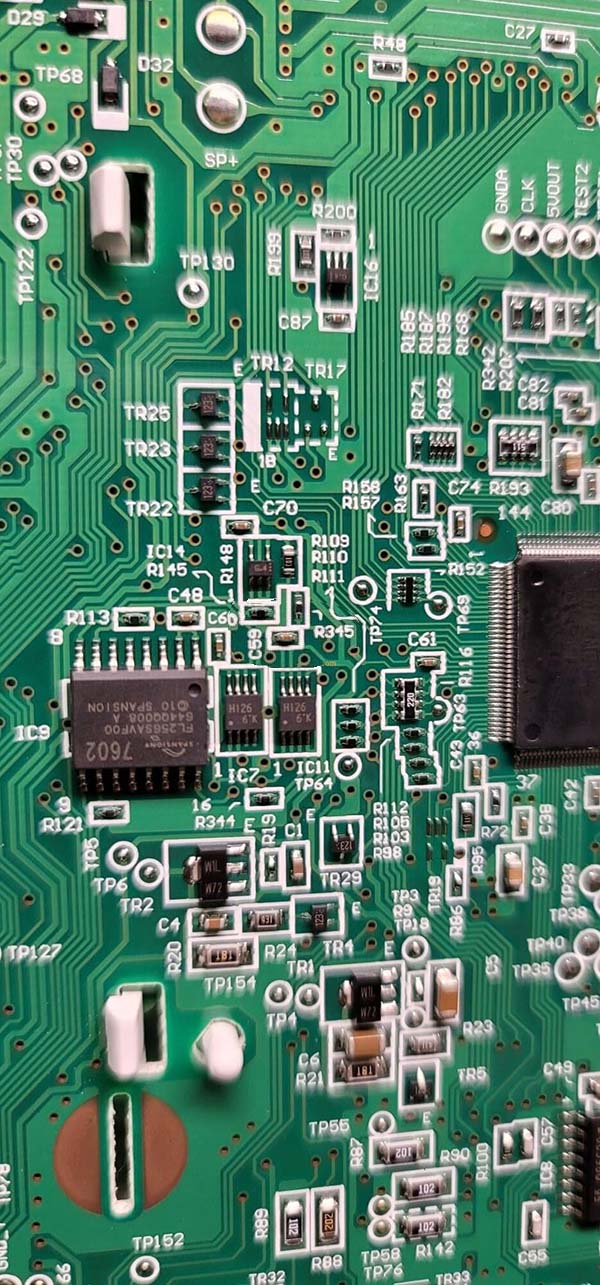
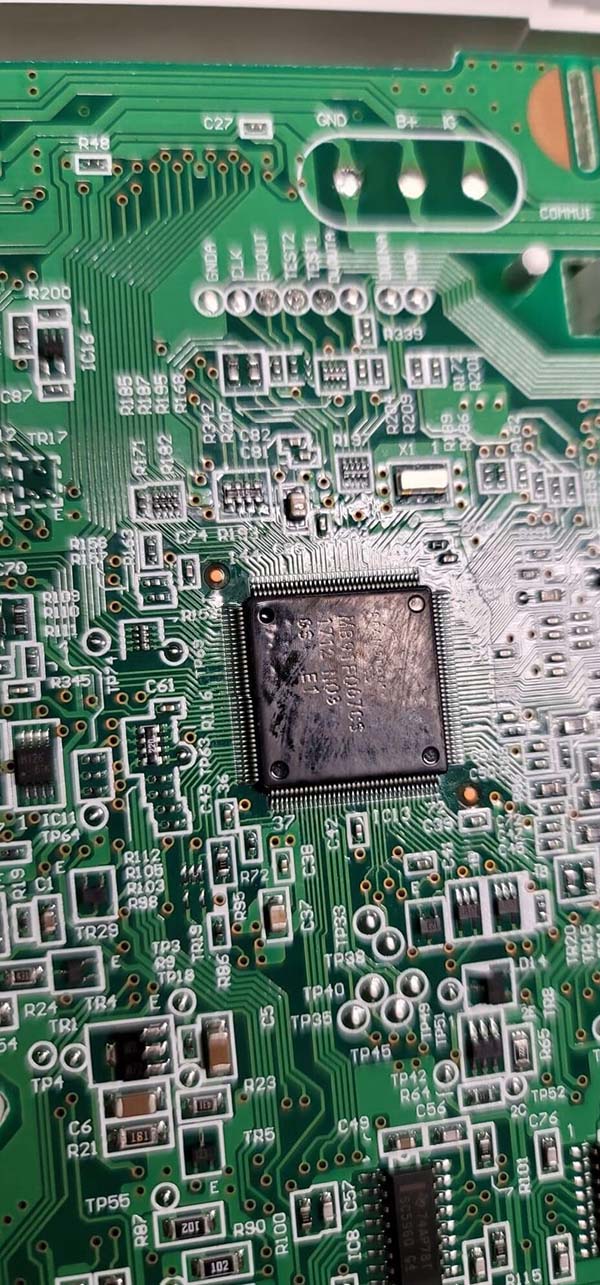
one chip type is MB91F067BS and another chip is HI26.

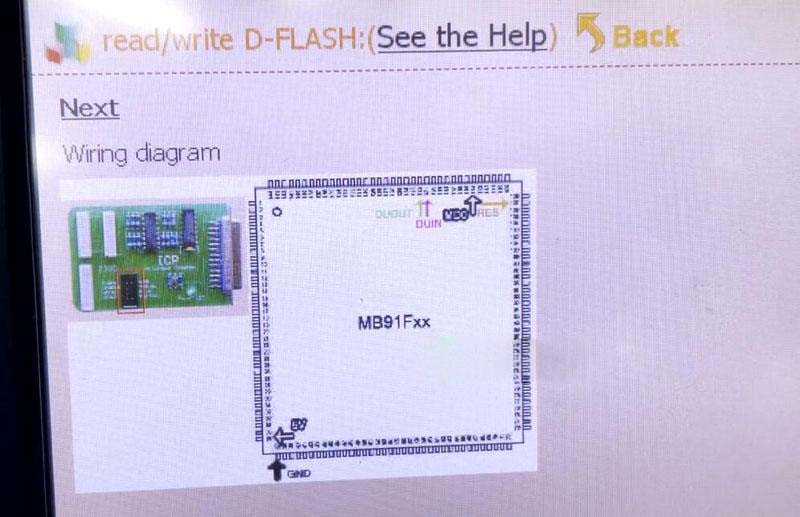
Digimaster III is capable of changing mileage on this model. But it doesn’t have wiring diagram. Need to find yourself wiring connections.

Then follow this path to correct mileage.
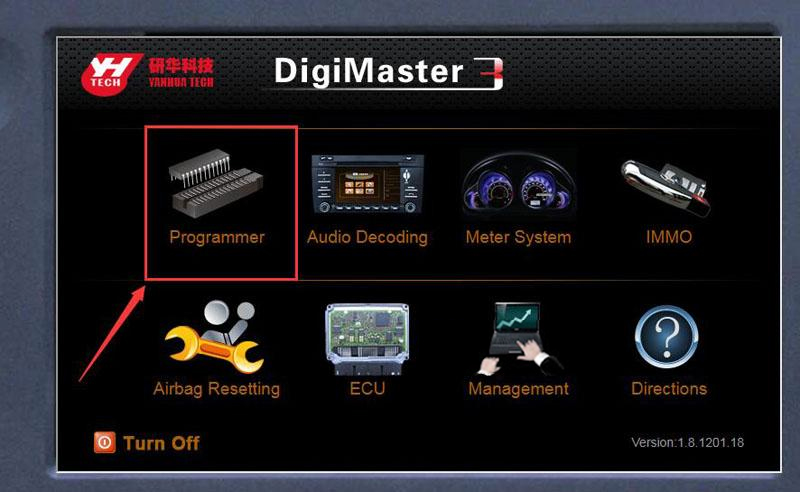
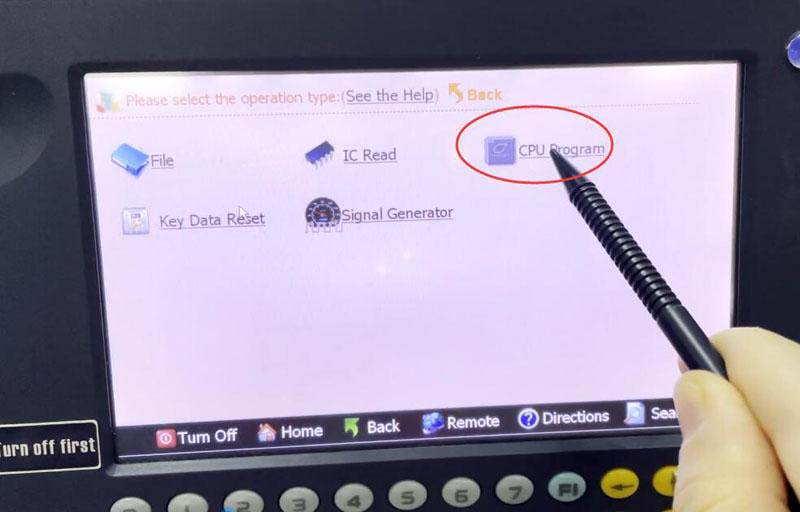
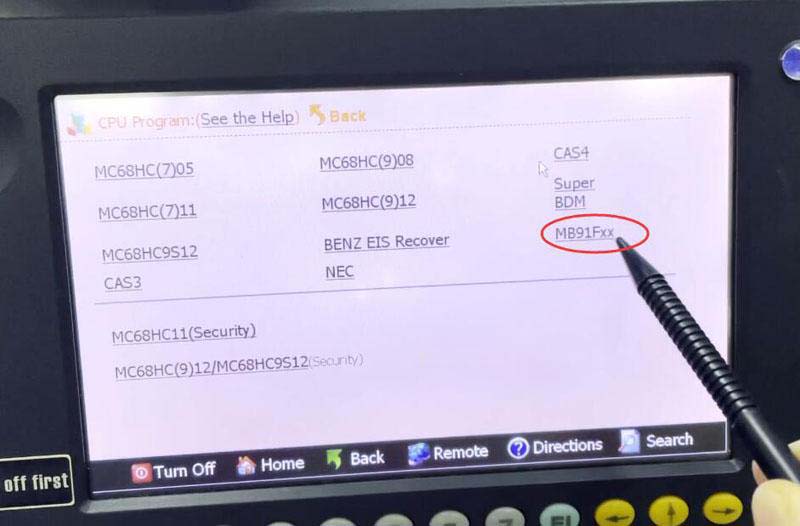
Programmer- CPU Program- MB91Fxx

Digimaster3-Change-Hyundai-Santa-FE-2018-Mileage-1
Digimaster3-Change-Hyundai-Santa-FE-2018-Mileage-2
Digimaster3-Change-Hyundai-Santa-FE-2018-Mileage-3
Digimaster3-Change-Hyundai-Santa-FE-2018-Mileage-4
Digimaster3-Change-Hyundai-Santa-FE-2018-Mileage-5
Digimaster3-Change-Hyundai-Santa-FE-2018-Mileage-7
Digimaster3-Change-Hyundai-Santa-FE-2018-Mileage-8

Save data, send data, original mileage and mileage you desired directly to Yanhua technician. They will modify data for you.
loading..

Monday, January 3, 2022

UPDATE KERNEL INSTRUCTIONS FOR DIGIMASTER 3 ODOMETER CORRECTION TOOL

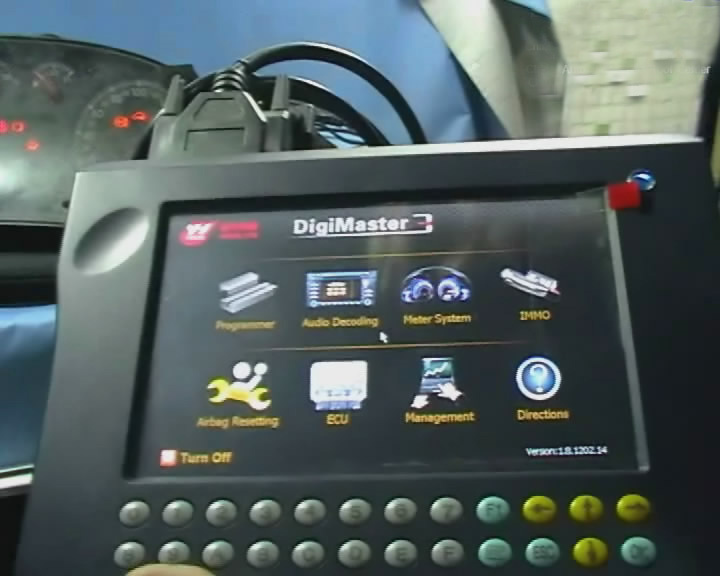
Original Digimaster 3 also called Digimaster III or shortly D3 works with various types of adapter you can easily achieve odometer correction, Audio decoding, airbag resetting, engine ECU resetting, IMMO, programming key for Benz &BMW etc.

After update EBOOT, it is necessary to update kernel.

Tips: Before update EBOOT, please install D3 TOOL first.

Step 1: Press button number 8 and button OK at the same time, and turn the power on. When you see “Press OK to confirm and continue update Firmware” press OK, then it enter the procedure of updating.

Step 2: Connect D3 with a computer through Mini USB (purple color), you can see a tip “Found New Hardware wizard”.As the image shown below.

Update-Kernel-Instructions-for-Digimaster-3-Odometer-Correction-Tool-1

Step 3: Choose “install the software automatically”, click “click”

Step 4: If DIGIMASTER 3 have been installed already, choose the second “SEC SOC SMDK Board” in dialog box as shown below, and click “Next” to complete driver installation.

Update-Kernel-Instructions-for-Digimaster-3-Odometer-Correction-Tool-2

Step 5:Double-click Digimaster 3 PC Tools and choose “Kernel Update”.

Update-Kernel-Instructions-for-Digimaster-3-Odometer-Correction-Tool-3
Update-Kernel-Instructions-for-Digimaster-3-Odometer-Correction-Tool-4

Step 6: Make sure the purple Mini USB is connected, then you can see ” USB connect succeed”

Update-Kernel-Instructions-for-Digimaster-3-Odometer-Correction-Tool-5

Step 7: click “Kernel Update” and choose “EBOOT_20110427.bin” then click “OK” to start EBOOT program update.

Step 8: After 10sec. the DIGIMASTER 3 screen appears a twinkling red ‘YH’ logo which means EBOOT update is complete.

After update EBOOT successfully, please turn the power off digimaster 3 and choose a appropriate way to update the kernel.

Be attention : Please uninstall the anti-virus software and firewall temporarily in order to run the software normally.

For more details and request, welcome to check our website directly : www.obd2tool.com

Friday, December 3, 2021

DSP3+ Odometer Correction Tool Update in 2021

Original DSPIII+ DSP3+ Odometer Correction Tool 2021 update news

DSP3+-Odometer-Correction-Tool-Update-in-2021-1
DSP3+-Odometer-Correction-Tool-Update-in-2021-2
DSP3+-Odometer-Correction-Tool-Update-in-2021-3
DSP3+-Odometer-Correction-Tool-Update-in-2021-4
DSP3+-Odometer-Correction-Tool-Update-in-2021-5
DSP3+-Odometer-Correction-Tool-Update-in-2021-6
DSP3+-Odometer-Correction-Tool-Update-in-2021-7
DSP3+-Odometer-Correction-Tool-Update-in-2021-8
DSP3+-Odometer-Correction-Tool-Update-in-2021-9
DSP3+-Odometer-Correction-Tool-Update-in-2021-10
DSP3+-Odometer-Correction-Tool-Update-in-2021-12
DSP3+-Odometer-Correction-Tool-Update-in-2021-11

Above is 2021 main update info for the DSPIII+ DSP3+ Odometer Correction Tool, To learn more about the updated contents, please see the link below:(Update content and supported vehicle list from 2019 till now)
https://www.smelecom.com/En/news-e.html

Below is the supported vehicle list before 2019.
http://forobd2tool.com/wp-content/download/DSP3+/DSP3+_Full_Odometer.pdf

If you have any other questions, please contact our online customer service. https://www.obd2tool.com/

Tuesday, November 30, 2021

Original DSP3+ Odometer Correction Tool Software Update

How to update “Data Specialist 3+” or “USA prog / DataSmart / VAG prog”?

All our tools have the interface to help communicate with unit via USB port. If you are the DSP3+ owner then connecting your tool to PC (Windows XP/7) will open Microsoft ActiveSync application and connects to your DSP3+ automatically as to any Windows based PDA devices. If you are the USAprog / DataSmart / VAGprog owner, you need to install the “PC_link” software found on any Downloads tab under the product page that designed to communicate with your tool. The very last step for all tools is to select the Update menu and run an appropriate command such as Software Update/Active Function or any other ones.
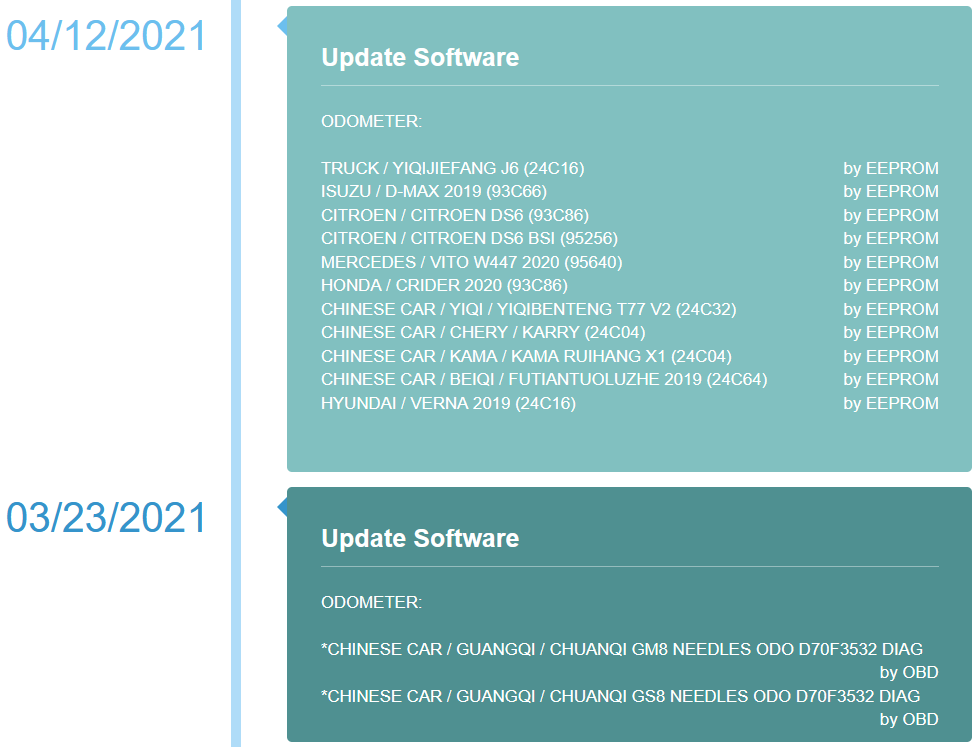
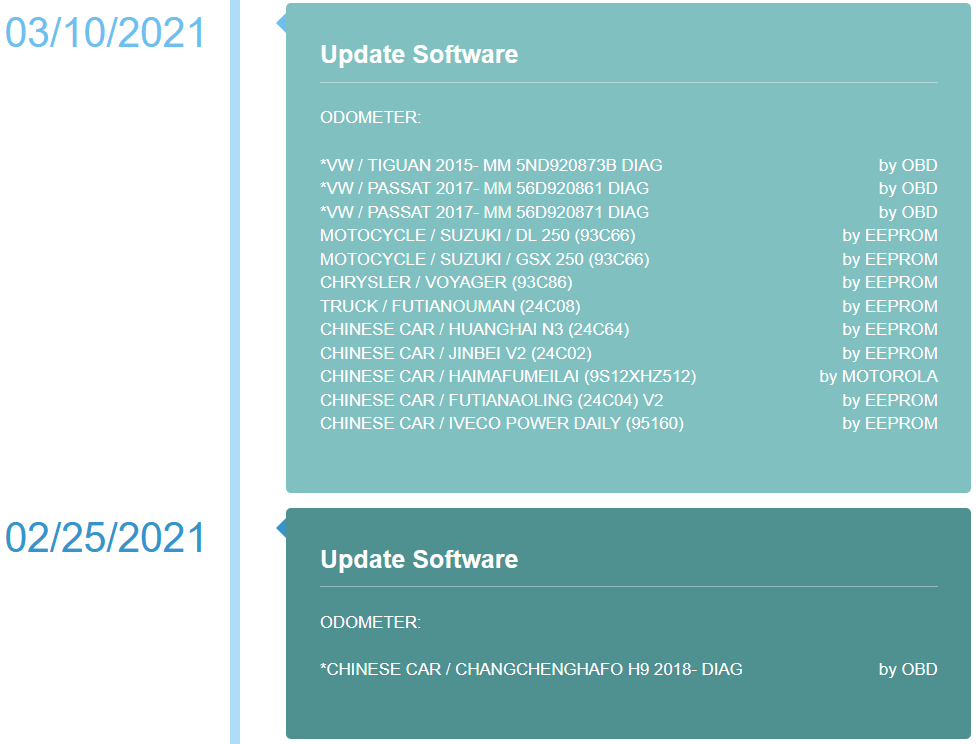
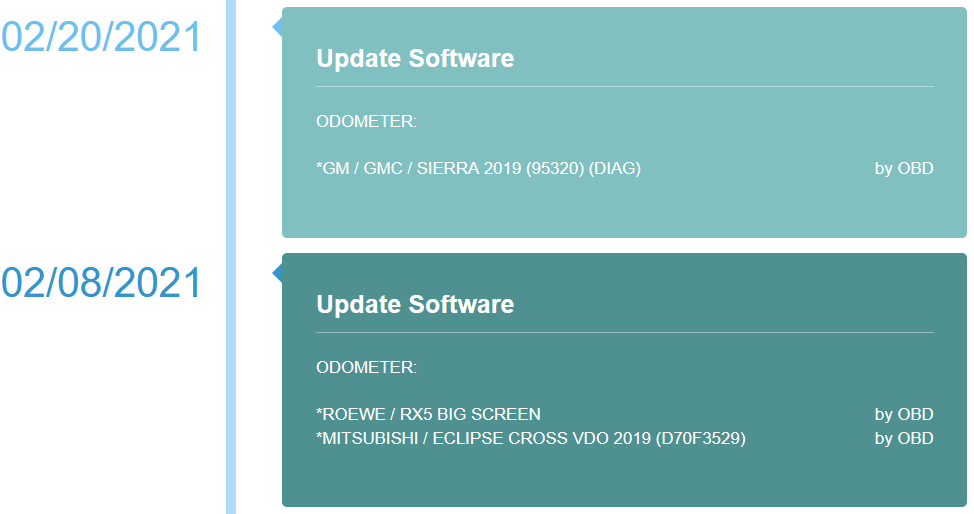
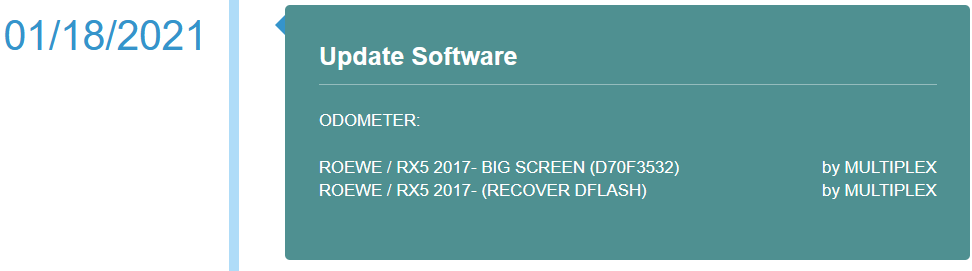
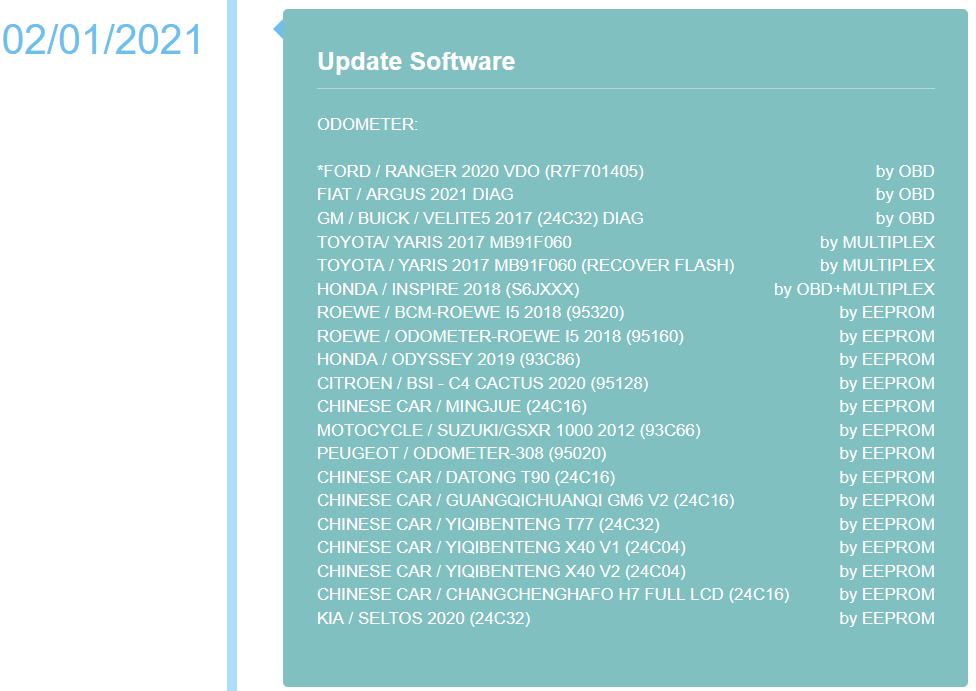
2021 Software Update details
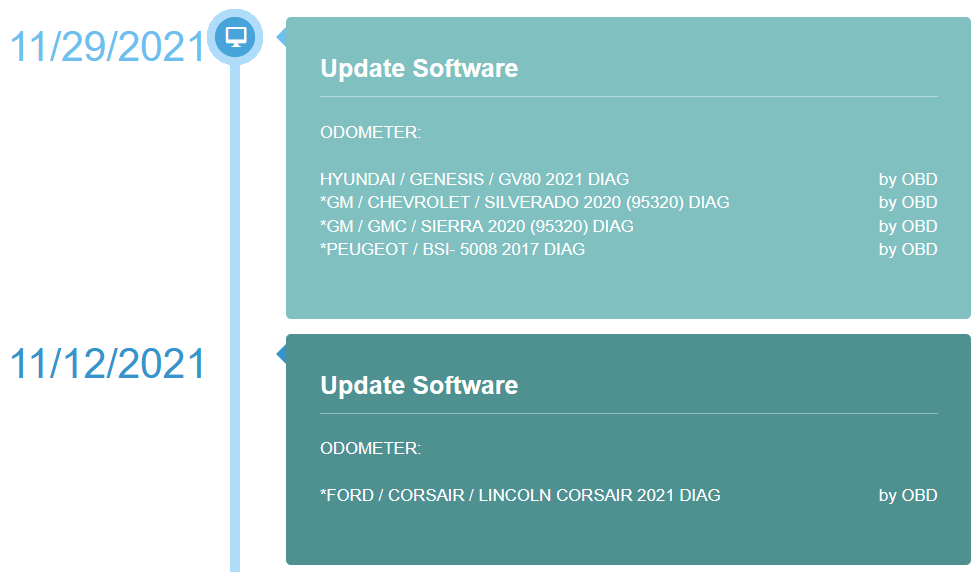
11/12/2021 update
ODOMETER:
*FORD / CORSAIR / LINCOLN CORSAIR 2021 DIAGby OBD

11/08/2021
ODOMETER:
FORD / TAURUS 2017 DIAGby OBD

11/01/2021
ODOMETER:
CHINESE CAR / GUANGQI / CHUANQI GS3 18- DIAG (R7F701401)by OBD
CHINESE CAR / YIQI / YIQIBENTENG X40 V3 (24C04)by EEPROM
CHINESE CAR / BEIQI / BEIQI BJ40 (95320)by EEPROM
RENAULT / KWID / KWID 2020 ABS (95640)by EEPROM
RENAULT / KWID / KWID 2020 (95160)by EEPROM
HYUNDAI / I10 (9S12HA48/9S12HY64)by EEPROM
MOTOCYCLE / HONDA / CRF 1000 2018 (93C76)by EEPROM
MOTOCYCLE / HONDA / CRF 1000 2016 (93C66)by EEPROM
MOTOCYCLE / SUZUKI / GSXR 750 2015 (93C66)by EEPROM
TRUCK / OTHER / FIDELITY (24C04)by EEPROM
SUZUKI / ERTIGA (95320)by EEPROM

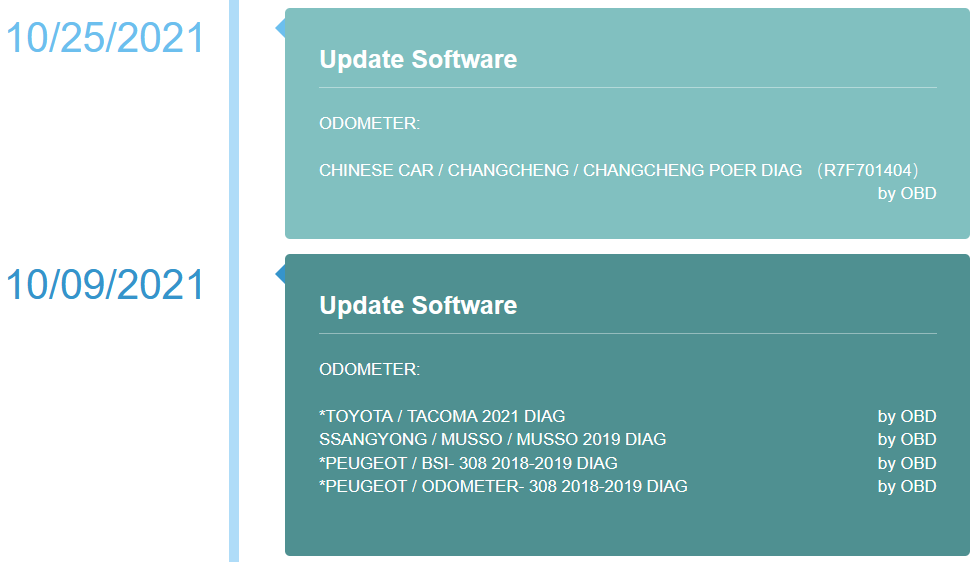
10/25/2021
ODOMETER:
CHINESE CAR / CHANGCHENG / CHANGCHENG POER DIAG (R7F701404)by OBD

10/09/2021
ODOMETER:
*TOYOTA / TACOMA 2021 DIAGby OBD
SSANGYONG / MUSSO / MUSSO 2019 DIAGby OBD
*PEUGEOT / BSI- 308 2018-2019 DIAGby OBD
*PEUGEOT / ODOMETER- 308 2018-2019 DIAGby OBD

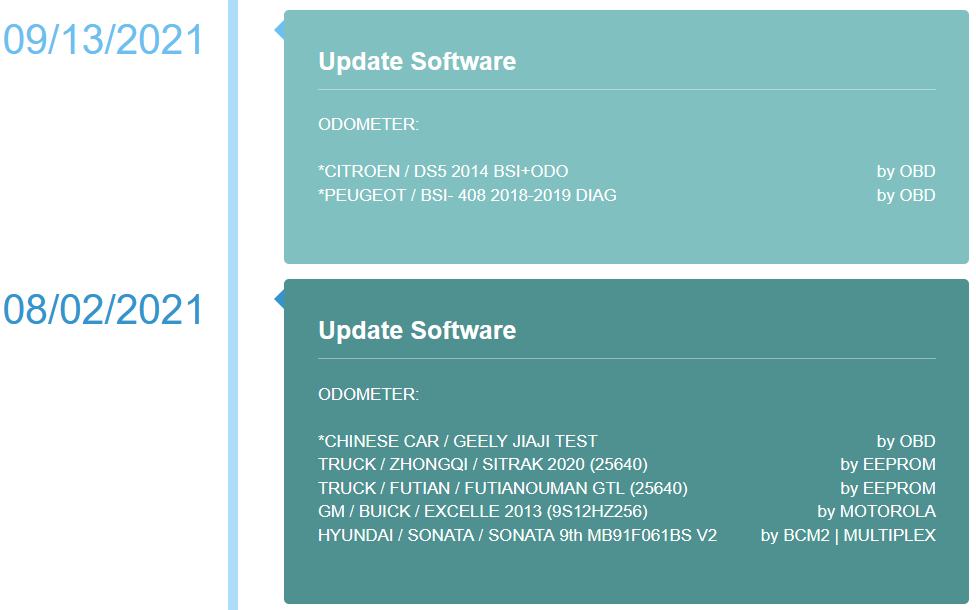
09/13/2021
ODOMETER:
*CITROEN / DS5 2014 BSI+ODOby OBD
*PEUGEOT / BSI- 408 2018-2019 DIAGby OBD

08/02/2021
ODOMETER:
*CHINESE CAR / GEELY JIAJI TESTby OBD
TRUCK / ZHONGQI / SITRAK 2020 (25640)by EEPROM
TRUCK / FUTIAN / FUTIANOUMAN GTL (25640)by EEPROM
GM / BUICK / EXCELLE 2013 (9S12HZ256)by MOTOROLA
HYUNDAI / SONATA / SONATA 9th MB91F061BS V2by BCM2 | MULTIPLEX

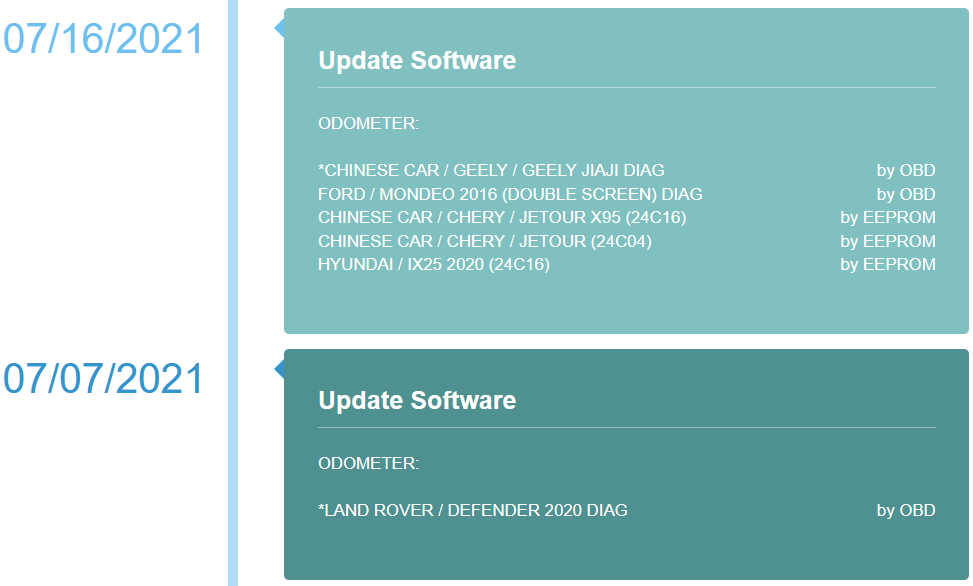
07/16/2021
ODOMETER:
*CHINESE CAR / GEELY / GEELY JIAJI DIAGby OBD
FORD / MONDEO 2016 (DOUBLE SCREEN) DIAGby OBD
CHINESE CAR / CHERY / JETOUR X95 (24C16)by EEPROM
CHINESE CAR / CHERY / JETOUR (24C04)by EEPROM
HYUNDAI / IX25 2020 (24C16)by EEPROM

07/07/2021
ODOMETER:
*LAND ROVER / DEFENDER 2020 DIAGby OBD

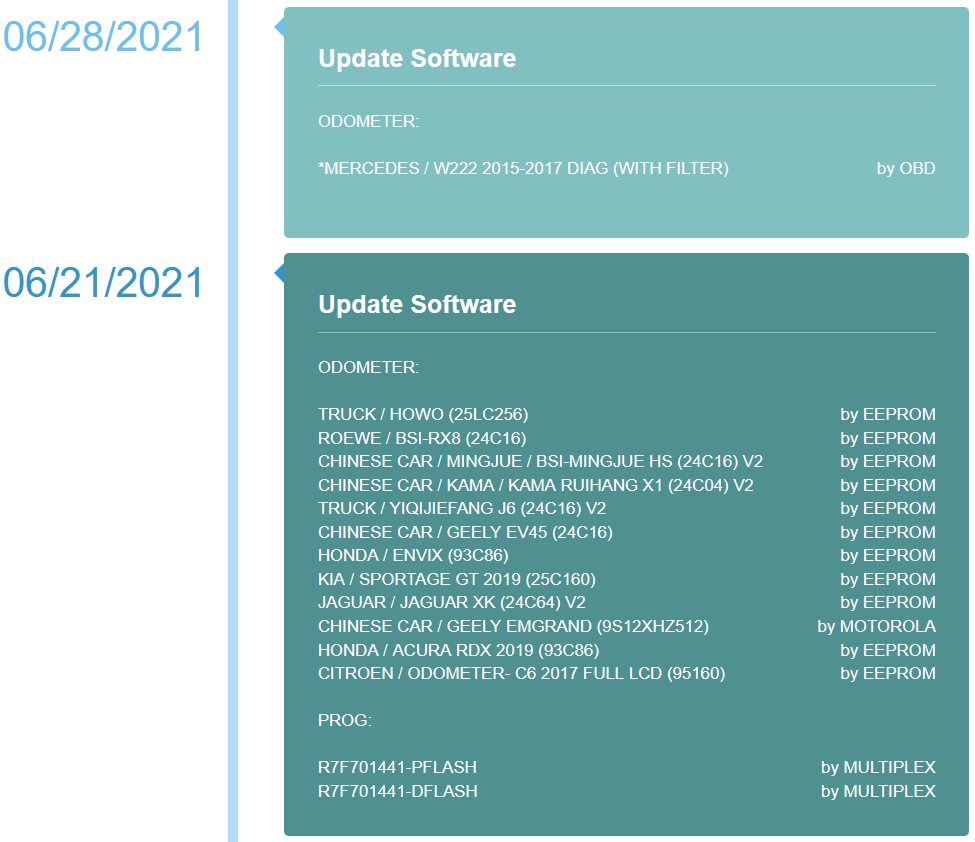
06/28/2021
ODOMETER:
*MERCEDES / W222 2015-2017 DIAG (WITH FILTER)by OBD

06/21/2021
ODOMETER:
TRUCK / HOWO (25LC256)by EEPROM
ROEWE / BSI-RX8 (24C16)by EEPROM
CHINESE CAR / MINGJUE / BSI-MINGJUE HS (24C16) V2by EEPROM
CHINESE CAR / KAMA / KAMA RUIHANG X1 (24C04) V2by EEPROM
TRUCK / YIQIJIEFANG J6 (24C16) V2by EEPROM
CHINESE CAR / GEELY EV45 (24C16)by EEPROM
HONDA / ENVIX (93C86)by EEPROM
KIA / SPORTAGE GT 2019 (25C160)by EEPROM
JAGUAR / JAGUAR XK (24C64) V2by EEPROM
CHINESE CAR / GEELY EMGRAND (9S12XHZ512)by MOTOROLA
HONDA / ACURA RDX 2019 (93C86)by EEPROM
CITROEN / ODOMETER- C6 2017 FULL LCD (95160)by EEPROM

PROG:
R7F701441-PFLASHby MULTIPLEX
R7F701441-DFLASHby MULTIPLEX

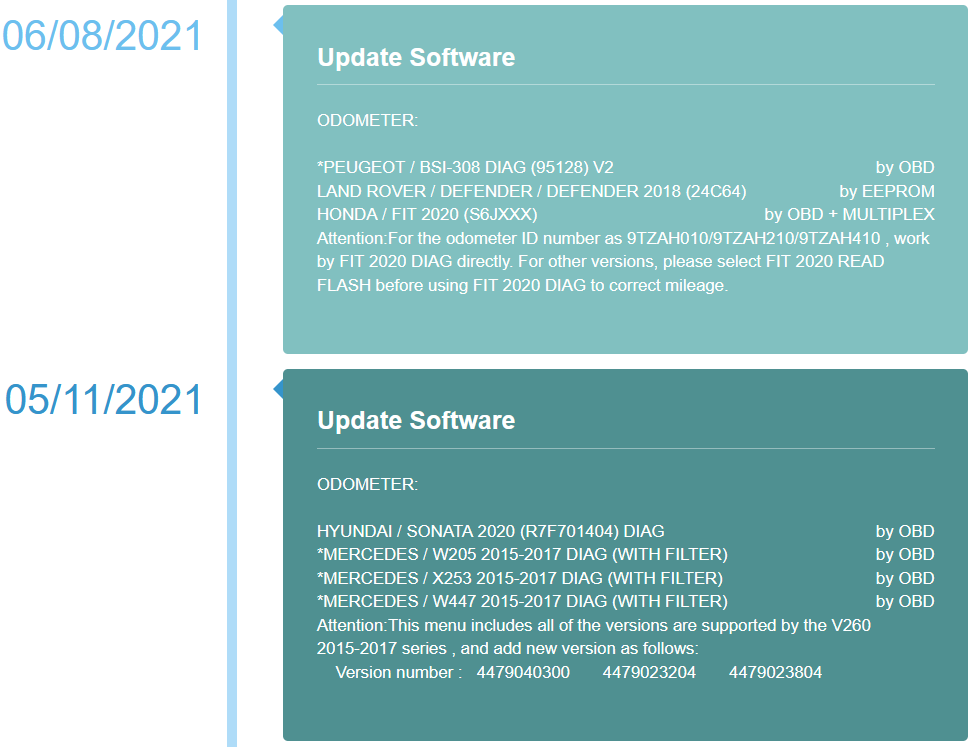
06/08/2021
ODOMETER:
*PEUGEOT / BSI-308 DIAG (95128) V2by OBD
LAND ROVER / DEFENDER / DEFENDER 2018 (24C64)by EEPROM
HONDA / FIT 2020 (S6JXXX)by OBD + MULTIPLEX
Attention:For the odometer ID number as 9TZAH010/9TZAH210/9TZAH410 , work by FIT 2020 DIAG directly. For other versions, please select FIT 2020 READ FLASH before using FIT 2020 DIAG to correct mileage.

www.obd2tool.com for more information about OBD2 Odometer Correction Tool